


Music Laser Show: How DJs Sync Lasers to Every Beat
Timing a music laser show to match your drops perfectly is what separates amateur sets from professional performances. However, many DJs struggle to tune their laser show music sync because traditional hardware is overly complicated.
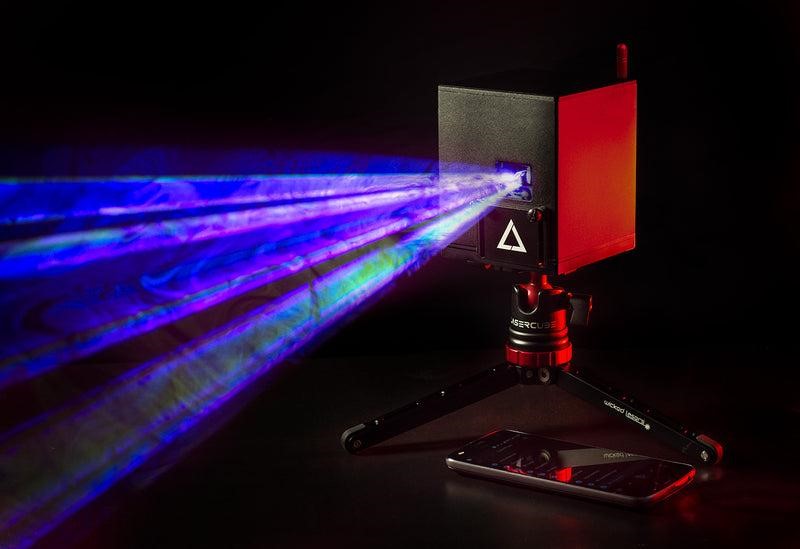
The LaserCube and its control software, LaserOS, give you a straightforward way to build out these visual cues. Because the device features built-in Wi-Fi, a rechargeable battery, and weighs starting at just 3.7 pounds, you can set up and sync your visuals quickly right from your phone.
Key Takeaways:
- AutoBPM helps mobile DJs set up in minutes.
- Ableton Link gives laptop DJs precise timeline control.
- MIDI mapping lets you trigger visuals by hand.
- Digital blackout zones let you project high-energy visuals confidently and safely.

1. The Quick Fix: AutoBPM for Your Music Laser Show
How Auto-Beat Detection Works
When you need to set up fast, automatic beat detection helps because you do not need to tap the tempo by hand while you mix.
LaserOS reads the incoming audio and matches your visuals to the beat right away. This allows you to easily scroll through and choose from dozens of built-in audio reactive visualizers.
Creating Dynamic Visual Effects
These visualizers physically react to the frequencies of your track. Every bass hit and snare roll translates into a dynamic musical laser effect that matches the exact energy of the room.
For the best results, run an audio cable directly from your DJ mixer into your phone or computer. Heavy bass vibrations easily confuse built-in microphones, so a direct line ensures the software catches every beat accurately.
LaserCube WiFi 2.5W: Bright, extremely portable at just 3.7 pounds, and battery-powered for fast, wireless setups. Explore the WiFi 2.5W →
2. Deep Integration: Ableton Link
Connecting Your DJ Software
If you want even more control over your light show and use DJ software on a laptop, connecting your lighting straight to your timeline is a great option.
This ensures every drop hits at the exact right second since LaserOS works seamlessly with Ableton Link. This networking tool lets your DJ software talk directly to the laser software.
3 Steps to Lock Your Tempo
You can easily keep your audio and visuals tied together all night by following these steps:
- Check your network: Ensure your laptop and the laser are on the exact same WiFi network.
- Set your tempo: Enter your beats per minute in your DJ app.
- Lock it in: Watch the laser patterns lock into that exact speed automatically.
Video: Watch a live DJ setup using Ableton Link. Watch more on our channel →
3. Hands-On Performance: MIDI Control
Playing Lasers Like an Instrument
If you like to perform live and control your lights with your hands, you can easily map different laser animations directly to the drum pads on your MIDI controller.
When you press the pad, the laser fires instantly. You can easily trigger a blackout, a strobe effect, or a specific color pattern to create a truly custom visual show for DJ performances.
Utilizing Native MIDI and DMX
With the LaserCube Ultra models, you have critical ILDA and DMX integration built right in. You also get MIDI support through LaserOS to assign specific commands to any button on your deck.
You get to play the laser projector just like a musical instrument.
LaserCube Ultra: Packed with native ILDA and DMX integration for professional event production workflows. Discover the Ultra series →
4. Professional Trust: Setting Safety Zones
Protecting Your Crowd
A true professional always puts safety first. Before you start your performance, you need to make sure your beams do not hit the crowd directly.
Drawing Digital Blackout Boxes
High-power projectors require special care to protect both human eyes and sensitive camera equipment. LaserOS makes this process very easy by letting you draw a digital blackout box over the audience area.
The projector automatically stops the light from entering that zone. This guarantees you follow industry safety rules and protect your crowd.
Wrapping Up
Here is a tip for your next music gig: always test your audio routing in LaserOS before the venue fills up to ensure your beats match perfectly.
Syncing your lasers to music is very simple when you use the right tools. Whether you rely on the quick auto-beat feature for a fast setup or map out a live performance on a MIDI keyboard, your visuals will look professional.
Taking the time to get that precise laser show with beat timing synced can create a memorable experience for your crowd at the show.
Ready to test these beat-matching tools? Download LaserOS for free and try the emulator
Need help preparing for your next gig? Watch LaserOS tutorials on our channel →