Aerial Laser Show Guide: An Easy Portable Setup
Create a beautiful aerial laser show anywhere. Learn how the battery-powered LaserCube and the Nano Fogger make professional aerial beam effects easy.
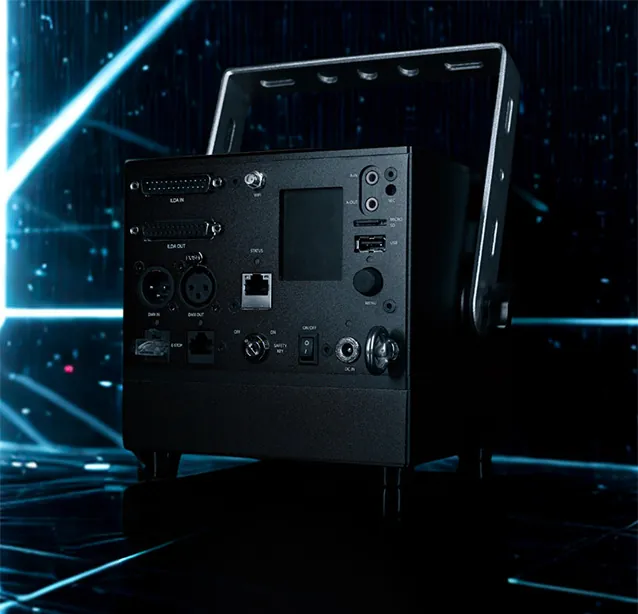
Think about your favorite concert. The best part was probably the aerial laser beams cutting through the air, looking like liquid light floating above you. You might think you need heavy, expensive gear to do this. But you don’t. You can set up a pro aerial laser show in your own backyard without as much hassle as you think.
The Secret is the Fog
The number one rule of laser lighting is that light is invisible in clear air. If you turn on a laser in a clean room, you will likely only see a dot on the wall rather than the beam itself.
To see the beams, the light needs something to bounce off, so you will need fog or haze. This creates a canvas for laser beam and aerial effects, and according to the International Laser Display Association (ILDA), atmospheric scattering is essential for visible beams.
Pro Tip: If you are outdoors, watch the wind. Even a light breeze can blow your fog away instantly.
For a portable setup, we recommend the Nano Fogger, which is available as an add-on or included in the Stadium Bundle. Since it fits in your hand, it is easy to bring along while creating enough mist to make the aerial laser display appear instantly.
Choosing the Right Gear
Traditional “sky lasers” are often very heavy and must be plugged into a wall outlet, which makes them difficult to use outdoors or at remote events.
The LaserCube is different because it is a portable laser projector that runs on a built-in battery for 2 to 4 hours. You can take it anywhere without ever hunting for power cords.
The LaserCube Ultra MK2 10W model is perfect for this as it packs 10,000 mW of power. This brightness allows you to create thick beams that look amazing even when there is some ambient light.
Setting Up Your Show
You can get this running in just a few minutes by following these steps:
- Place it High: Put your LaserCube on a stand or truss (with a safety cable if it’s rigged overhead) so the beams stay at least 3 meters (10 feet) above the floor wherever people may be, and set the beam block so nothing scans into audience areas.
- Add Fog: Use your Nano Fogger to add a little mist into the air, which will instantly reveal the beams.
- Open LaserOS: This is the free app that controls the laser, available for your iOS or Android phone as well as Mac and PC.
- Pick an Effect: Select a “Flat Sheet” or “Liquid Sky” effect from the visualizers. This creates a flat “ceiling” of light that creates a mesmerizing tunnel effect above the crowd.
- Sync to Music: Turn on the microphone mode in the app so the beams flash and dance to the beat of your music automatically.
Safety and Aerial Laser Shows
Safety should always be your top priority. While an aerial laser show looks cool, you have to follow the rules. LaserCube is a professional show laser, not a toy: never aim it at people’s eyes, at audiences or at aircraft, and never at anything flammable. Safety tips.
Never point a laser into the sky or open airspace. This level of laser light can interfere with aircraft operation at many miles, and in the US shining a laser at an aircraft is a federal crime.
- Terminate the Beams: Always end the beams on a large wall or a building, never in the open sky.
Ready to Start?
You don’t need to have a complex professional set up to make aerial lasers happen. With a LaserCube and some fog, professional lighting fits right in your backpack. Now you can bring a stunning light show to any party, anywhere.
See it for yourself
LaserCube is a portable, battery-powered RGB laser projector, and its show software, LaserOS, is free.
Explore the LaserCube lineup