


Galvo Scanner Specs: 3 Checks for Laser Shows
Nothing ruins a professional DJ set faster than a high power laser projecting distorted, flickering graphics.
If your custom logos look messy instead of clear artwork, you are likely dealing with a slow galvo scanner. Many people focus entirely on laser wattage and completely overlook the scanning speed needed to draw smooth animations.
In this quick guide, you will learn the exact galvo specifications required for professional laser shows. You will also learn how to check your hardware before your next gig.
1. Evaluate Your Points Per Second (PPS)
Inside your projector, small motors called galvo scanners move mirrors to steer the light. They work quick to draw shapes in the air.
The speed of these scanners is measured in points per second, or PPS. A higher PPS number gives you a smoother image.
1. Evaluate Your Points Per Second (PPS)
Inside your projector, small motors called galvo scanners move mirrors to steer the light. They work quick to draw shapes in the air.
The speed of these scanners is measured in points per second, or PPS. A higher PPS number gives you a smoother image.
The PPS Checklist
Here is a quick breakdown of what to look for when checking your speeds:
- Basic graphics: A 25,000 PPS galvo scanner does a great job rendering simple abstract patterns and aerial laser beam effects.
- Complex animations: Pushing 35,000 or more PPS lets you display detailed, smooth laser graphics and text with no flicker.
The speed of these scanners is measured in points per second, or PPS. A higher PPS number gives you a smoother image.
Expert Tip: Scan Angles Matter
Speed is only half the story. The angle of the mirror’s galvo scan also affects how sharp your image appears. When shopping for a galvo system, checking both the exact PPS rating and scan angle is important to do first.
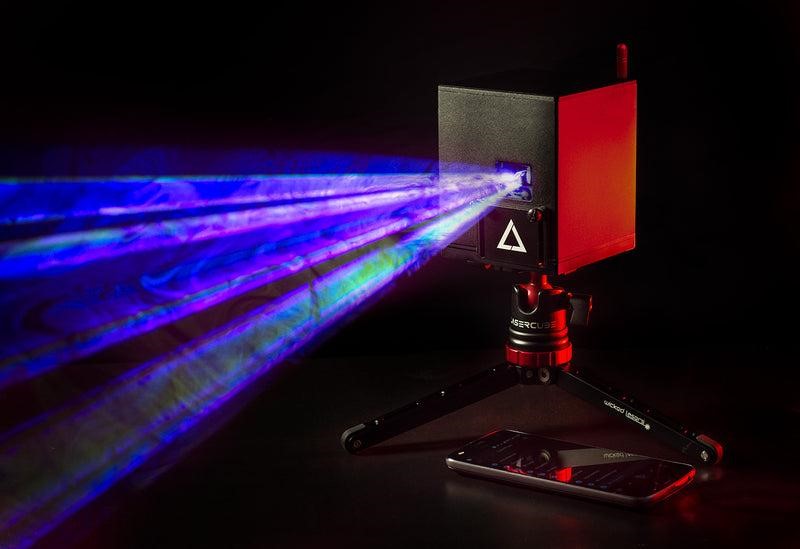
For example, the LaserCube Ultra models use AT-40S galvos running at 35,000 PPS at a 7º scan angle. This specific combination helps maintain clear images during complex visual routines.
Power & Precision: The LaserCube 7.5W Ultra MK2 features 7,500 milliwatts of power paired with fast AT-40S galvo scanners. Learn more about the Ultra MK2 →
2. Match Galvo Speed with Output Power
When you use a high-power laser, the laser beam is very intense. If the beam stays in one spot for too long, it can cause heat damage to surfaces.
Fast galvo scanners move the beam quickly enough to prevent this from happening.
Expert Tip: The Venue Audit
Professional lighting designers always perform a safety audit before a show. A fast scanner ensures the beam never rests on a single point, which is a major requirement for passing safety checks at live events.
Keeping Powerful Beams Safe
If you are running a high-wattage galvo laser, your hardware must keep up to distribute that energy safely. This is why a 7,500 milliwatt projector like the LaserCube Ultra pairs its laser diode with a fast 35,000 PPS scanner.
Fast scanning combined with up to 3-4 hours of battery-powered runtime means you can safely set up and run bright shows anywhere. You get professional safety without searching for wall outlets.
Live in Action: Watch how precision galvo scanners trace perfect geometries to a live DJ set. Watch more on our channel →
3. Verify Hardware and Software Synchronization
Even the fastest galvo scanners need smart software to tell the galvos where to go. Raw hardware cannot create a laser show on its own.
You need an app that speaks directly to the scanners to get the best results.
Wireless Control Integration
Look for control apps that are built specifically for the hardware you are using. As an example, the free LaserOS app connects directly to the LaserCube over built-in Wi-Fi.
This allows it to send very precise, low-latency instructions to the galvo scanner with no need for heavy external cables. You can then use the timeline editor in the app to sync your mirror movements perfectly with your music.
Real User Review: Professional users with collections of multiple laser projectors note LaserCube delivers impressive performance despite its incredibly compact footprint. See more reviews →
Wrapping Up
Next time you are shopping for a high-power laser, check the PPS rating before you look at the wattage.
Getting a clean laser display comes down to matching fast hardware with smart software. Upgrading to a system like the LaserCube, with its high-speed 35,000 PPS galvo scanners, instantly stops your graphics from flickering.
When you combine that hardware with the easy-to-use LaserOS app, you get a portable, pro setup that makes creating amazing visual experiences way simpler.
Ready to see professional galvos in action? Download the free LaserOS setup guide today.