Unity Laser or the LaserCube Laser Projector: Which is Best?
Unity Laser or the LaserCube Laser Projector? Compare power, portability, and hidden costs to find the best professional RGB laser system for your laser show needs.
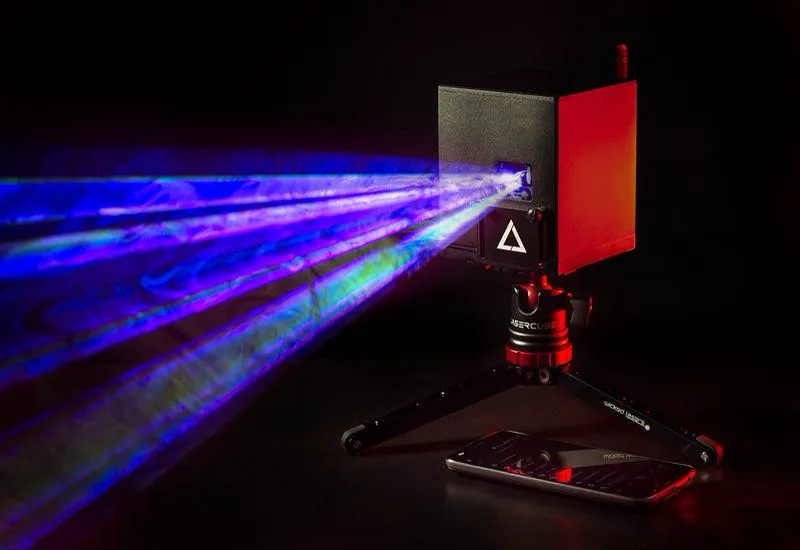
Buying your first professional laser is a significant investment. On your initial steps, you may be researching the popular Unity Laser lineup and comparing it to the more portable LaserCube laser show projector.
Both brands are respected, but they serve different needs. One is a traditional “wired” system built for permanent setup. The other is a portable “wireless” unit designed for mobile performers. This guide breaks down the technical differences to help you choose.
Entry Level: Unity RAW 1.7 vs. LaserCube 2.5W WiFi
Let’s compare the starter models. You have the Unity Raw 1.7 Laser (often searched as Unity Lasers Raw 1.7) competing with the LaserCube 2.5W WiFi.
Power and Brightness
The Unity Raw laser provides >1,700 milliwatts of power. The LaserCube 2.5W delivers 2,500 milliwatts. That extra power helps your beams look brighter and cut through fog more effectively in larger rooms.
Setup and Portability
- Unity RAW: Requires a power outlet (AC mains) and typically a data cable connection to a computer. It is well-suited for permanent installations where the unit stays in one spot.
- LaserCube: Runs on a built-in battery for 2 to 3 hours. You can place it on a tripod anywhere, indoors or outdoors, without looking for power outlets.
The Hidden Costs of Traditional Lasers
The price tag on a Unity RAW 1.7 laser might appear lower at first glance. However, it is helpful to look at the total cost of ownership.
Traditional lasers often require an external interface, known as a DAC (like a Pangolin FB3 or FB4), to connect to your computer. You also need to purchase heavy ILDA cables. These necessary additions can add hundreds of dollars to your final bill.
The LaserCube is an all-in-one system. It has the controller hardware built inside. You do not need to buy expensive cables or extra boxes. You simply turn it on, connect to WiFi, and you are ready to project your laser show.
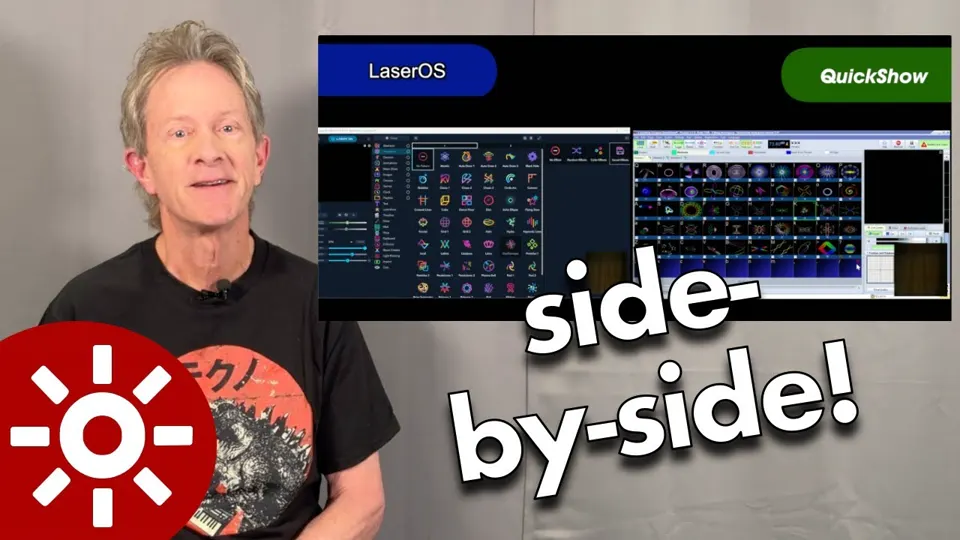
Software Experience: QuickShow vs. LaserOS
The software is how you create your laser show. This is a major difference in how both systems work.
- Unity (QuickShow): It is powerful but has a steeper learning curve. It generally requires a Windows laptop to run effectively.
- LaserCube (LaserOS): This app is free and designed for instant use. It works on iPhones, Android tablets, Macs, and PCs. You can drag and drop effects or play laser games immediately.
High Power: Unity RAW 3W vs. LaserCube Ultra MK2
If you need more power for big events, you might be looking at the Unity Raw 3W (also called the Unity Raw 3 Laser).
The LaserCube Ultra MK2 series is a close competitor for this system. It offers a distinct advantage in scanner speed. The Unity RAW 3 typically uses 30kpps scanners. The LaserCube Ultra MK2 uses upgraded 35kpps scanners. Faster scanners mean your text and animations look smoother and flicker less.
The Ultra MK2 also offers a unique “hybrid” benefit. It includes professional ILDA ports just like the Unity, so you can use pro software if you prefer. But unlike the Unity, you keep the battery and wireless features for when you need to be mobile.
Summary Comparison
Here is a quick checklist to help you decide.
Choose the Unity Laser if:
- You plan to install the laser permanently in a club.
- You already own professional ILDA control hardware.
- You do not need to move the laser often.
Choose the LaserCube if:
- You are a mobile DJ, band, or performer.
- You want a setup that takes under 5 minutes.
- You prefer using a phone or tablet instead of a laptop.
- You want higher brightness (2.5W vs 1.7W at entry level) or, with the Ultra MK2, faster scanners (35kpps vs 30kpps).
Both are excellent tools. Your choice depends on whether you prefer the tradition of a wired rig or the versatility of a wireless one.
LaserCube lets you create eye-catching visuals without complex ILDA hardware. Perfect for DJs, artists, events, or home parties, you can explore LaserCube on laserOS.com to see how easy it can be to bring professional-style laser art to your world.
See it for yourself
LaserCube is a portable, battery-powered RGB laser projector, and its show software, LaserOS, is free.
Explore the LaserCube lineup