Building Projection Mapping: A Guide to Projection Technology
Learn what building projection mapping with lasers is. This guide covers projection technology and how a laser projector can project powerful mapping experiences.
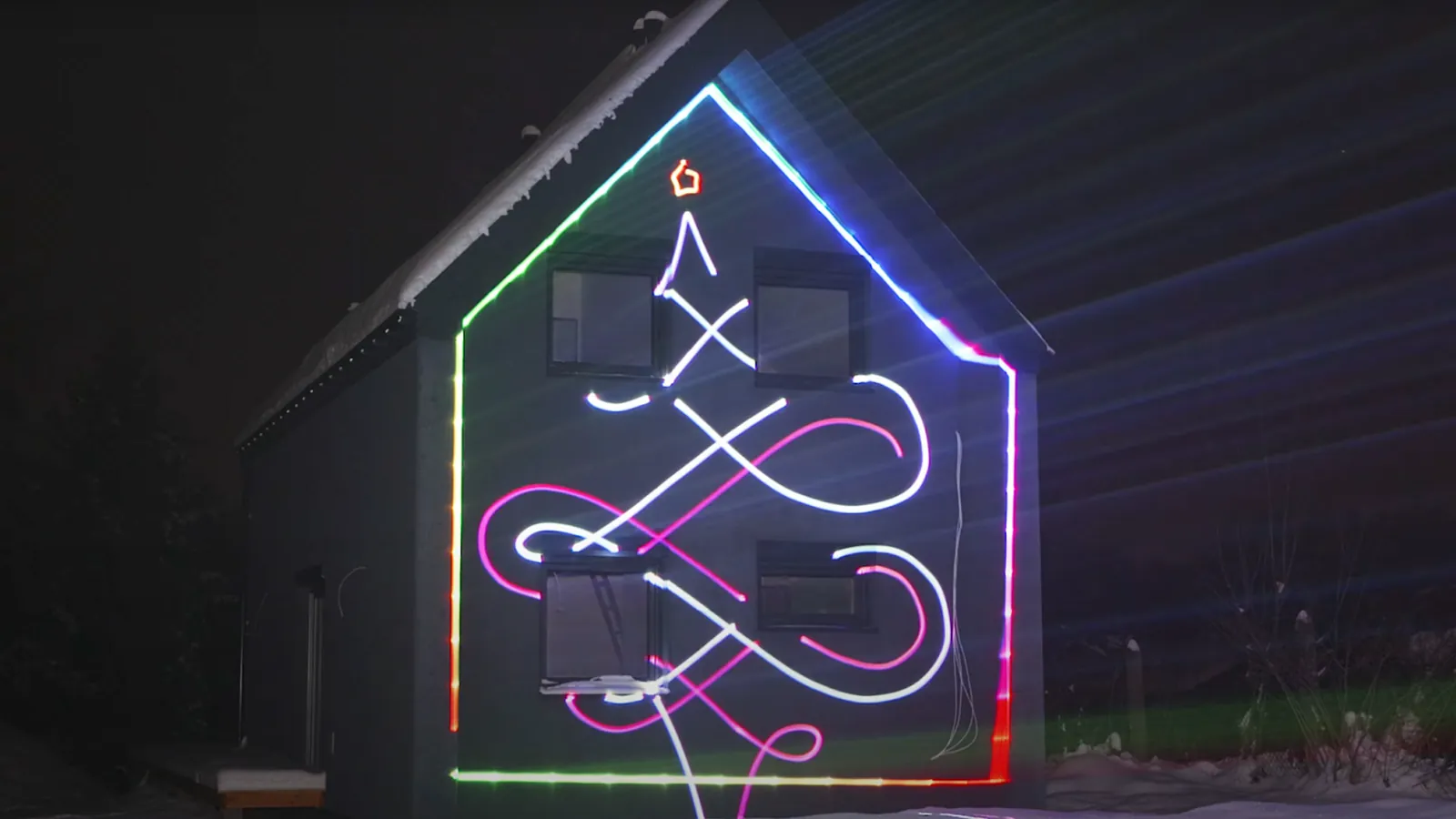
Building projection mapping turns ordinary building walls into dynamic light displays. This technology traditionally uses powerful video projectors to display content on building surfaces, creating eye-catching shows that grab attention. However, laser projection systems like the LaserCube offer a more portable and precise alternative, bringing professional-quality laser displays to smaller venues and mobile setups.
The magic happens when light matches the building’s shape perfectly. Curves and textures become part of the show, making flat walls look three-dimensional. This technique works great for events, advertising, art displays, and celebrations.
In this article, we will explore more about what building laser mapping is and how you can use it to create immersive experiences.
What Makes Building Projection Mapping Special
Building projection mapping started in entertainment venues like at Disney’s Haunted Mansion. The goal is simple: make visuals look like they’re part of the building itself. Unlike regular 3D projection mapping, or video mapping, which shows images and videos, mapping wraps content around surfaces to create optical illusions.
Building walls provide large canvases with interesting features. Balconies and decorative details add depth to projections. The texture and color of walls affect how well the display shows up. Smooth surfaces work best because they reflect light clearly. Dark and / or rough surfaces can make images look dim.
For laser projection mapping with compact systems like the LaserCube, the precision of laser beams creates sharp, bright visual effects with vivid colors. The LaserCube’s analog modulation allows for 16.7 million colors and smooth fading effects, making it ideal for creative displays on smaller buildings.
What is Architectural Laser Advertising?
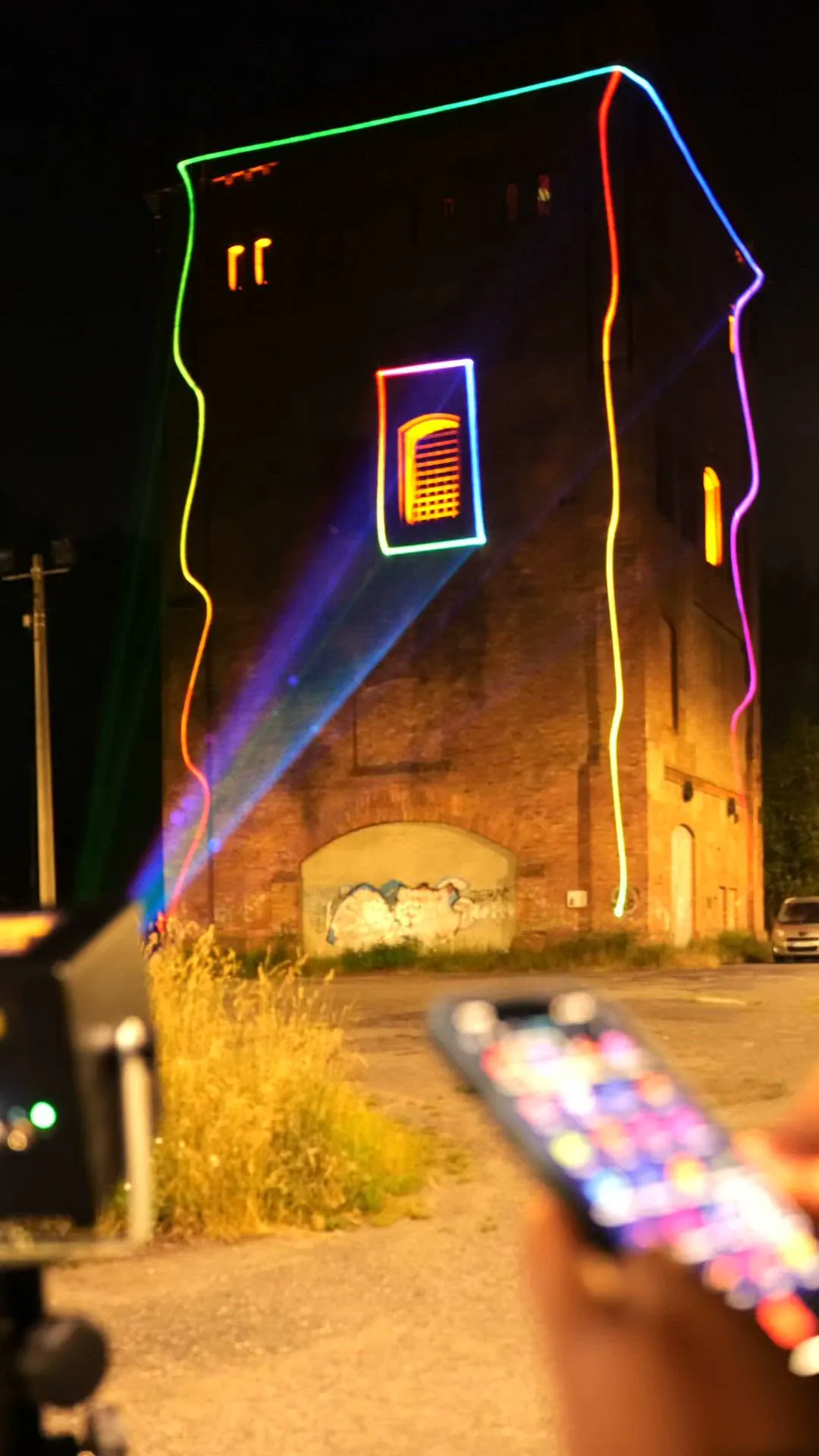
Architectural laser advertising uses high-power light to project images onto structures. You can trace the outline of doors and roofs, or simply project a large logo across a brick wall.
Often called laser architecture, this technique transforms static structures into dynamic art. Unlike a standard video projector, a laser draws with a narrow, bright beam that widens only slowly with distance (beyond about 400 meters, graphics blur unless the surface is huge).
This means you can create a crisp graphic on a wall hundreds of feet away, working well for promoting events or launching products. The result is an architectural laser light show that people want to photograph and share.
Planning Your Projection Mapping Project
Content Creation
Creating content for building projection mapping starts with measuring and modeling the building. You need 3D software to design visuals that fit perfectly on walls, around windows, and over architectural details.
The LaserCube’s companion LaserOS software simplifies content creation for laser displays. With thousands of built-in effects, custom logo projection capabilities, and music-reactive visualizers, you can create engaging displays without complex 3D modeling. The software works on Windows, Mac, Android, and iOS devices, making it accessible from your phone, tablet, or laptop.
Equipment Setup
Traditional projection mapping needs multiple high-powered video projectors positioned carefully to avoid shadows. Each projector must align perfectly with others to create seamless images across large surfaces.
Laser projection systems like the LaserCube offer significant advantages for portable projects. With models ranging from the ultra-compact 10cm WiFi version to the 15cm Ultra series, LaserCubes can project beam patterns, text, logos, and graphics with clarity. The built-in battery provides hours of operation without power cables, and you control everything from your phone, tablet or laptop over WiFi or an Ethernet cable.
Site Preparation and Permissions
Before beginning any projection mapping installation, secure proper permissions from building owners and local authorities. Many cities require permits for light displays, particularly on public buildings or historic structures, so research regulations early in your planning process.
Just as important is considering your audience’s viewing experience. Scout locations where people can gather to watch, away from the beam paths, ensuring the display remains visible and impactful from multiple viewing angles.
Installation and Safety
Setting up laser projection mapping equipment requires careful planning. Traditional video projectors need weatherproof housings and strong mounting systems. Power requirements can be significant when running multiple high-brightness projectors.
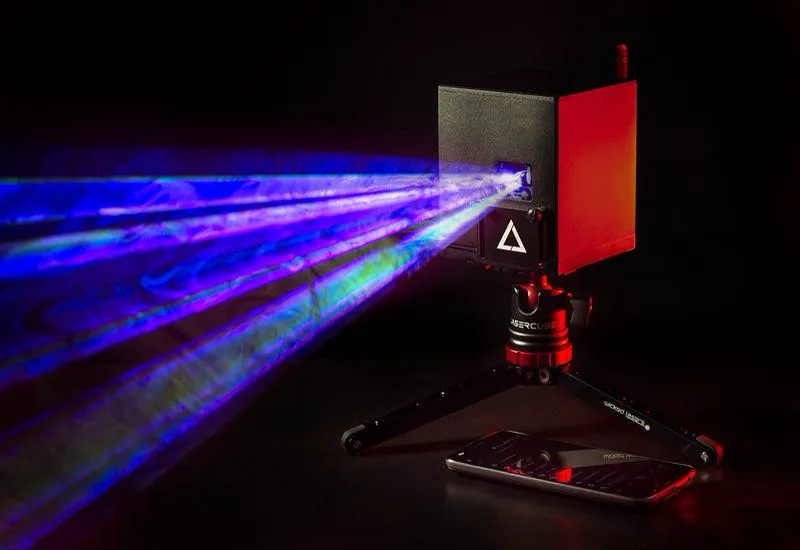
Laser projection systems like the LaserCube simplify setup considerably. The compact design of the WiFi series works with standard tripods (included in DJX combo and above), and the built-in rechargeable battery eliminates power cable requirements. LaserCube has a safety key, an interlock and a beam block, and includes all required safety features per international regulations.
For any projection display, avoid shining lights toward roads where they might distract drivers. Keep brightness levels appropriate for the neighborhood, and always follow laser safety guidelines: make sure every beam ends on the building, never in the open sky or on bare windows (on bare glass the beam goes through to the inside). LaserCube is a professional show laser, not a toy: never aim it at people’s eyes, at audiences or at aircraft, and never at anything flammable. Safety tips.
Light Up Buildings with LaserCube
Building projection mapping has grown from an exclusive, high-budget technology to an accessible creative medium, even as large-scale projection mapping, and the LaserCube represents the best of this transformation. By combining the precision mapping techniques covered in this guide with advanced building laser technology, creative professionals can now achieve the transformations that once required teams of technicians and massive budgets.
Whether you’re planning your first laser show on building surfaces or looking to upgrade from traditional projection systems, the LaserCube offers the perfect balance of professional capability and user-friendly operation. Available in models ranging from 1.2W WiFi to 10W Ultra MK2 (with the compact 3W and 6W Pro in between), these laser systems deliver the brightness, precision, and creative flexibility needed to transform any surface into a stunning visual display.
The ultra-portable design eliminates the complex rigging and power requirements discussed earlier, while the intuitive LaserOS software puts thousands of effects and customization options at your fingertips. With compatibility for professional software like MadMapper (and TouchDesigner on the Ultra MK2 and Pro), you can implement all the planning and content creation strategies outlined in this article.
Ready to transform facades with professional building laser light shows? Explore the LaserCube lineup and discover which model fits your projection mapping vision.
Frequently Asked Questions (FAQs)
Q01What are the best projection mapping software options currently available?
Popular software includes LaserOS, HeavyM, MadMapper, and Resolume. These programs offer tools for warping, masking, and aligning images to fit different surfaces. They support various content types like videos, animations, and interactive visuals. Each software differs in ease of use and features, so users choose based on their needs.
Q02Which projectors are recommended for effective projection mapping?
For video projection mapping, projectors must be bright enough to overcome ambient light on large outdoor surfaces. For laser mapping of buildings and long distances we recommend the Ultra MK2, and no LaserCube is suitable for projecting outdoors in daylight. Projectors designed for outdoor use and with high resolution ensure sharp images on complex building surfaces. Multiple projectors may be needed for larger or more detailed displays.
Q03Can you provide examples of successful projection mapping projects?
Landmarks like castles, museums, and famous buildings have hosted mapping shows. Some notable projects include public art displays, corporate brand launches, and historic storytelling events. These projects often combine precise scanning, digital modeling, and 3D visually stunning effects to transform static architecture into dynamic visuals.
Q04Is there any free software suitable for projection mapping?
Yes, software like LaserOS, MapMap and VPT (Video Projection Tools) offer basic functionality for beginners. These free tools can handle simple warping, masking, and video playback.
Q05What are the essentials for beginners to learn in projection mapping?
Beginners should focus on understanding digital content creation, projection alignment, and spatial calibration. Learning how to scan or model surfaces precisely is important. Mastering warping and masking helps fit images correctly onto uneven or complex objects. Also, learning about projector placement ensures optimal brightness and clarity.
Q06How can one get started with a projection mapping course?
Online platforms, workshops, and specialized schools offer courses in projection mapping. Many courses cover software use, technical setup, and creative design. Starting with beginner-friendly tutorials and practicing on small projects allows learners to build skills before handling large-scale installations.
See it for yourself
LaserCube is a portable, battery-powered RGB laser projector, and its show software, LaserOS, is free.
Explore the LaserCube lineup