LaserCube: Perfect for Halloween Laser Lights Shows
Create impressive Halloween laser light shows by projecting spooky animations. LaserCube is the perfect laser light projector for Halloween decorations & parties.
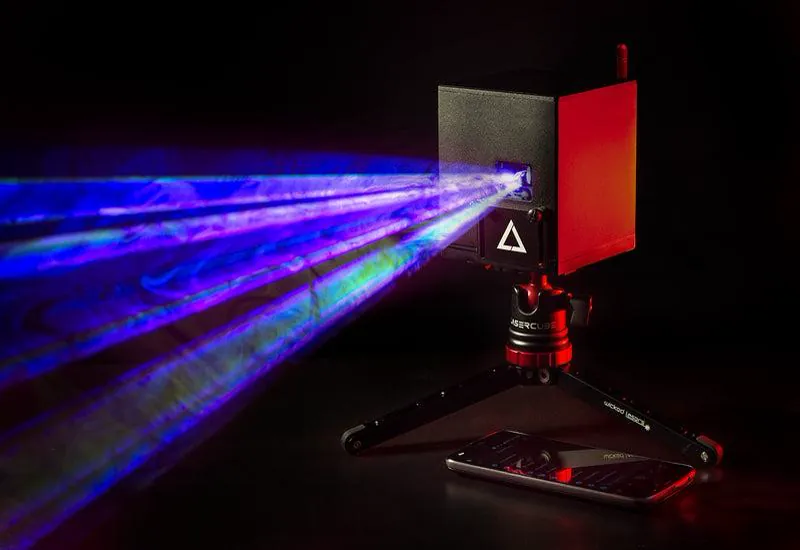
Halloween laser lights are a cool way to add bright, colorful effects to your Halloween setup. They shine patterns and moving pictures onto surfaces like walls and house fronts, creating a fun, spooky feeling without the hard work of hanging up lots of traditional decorations. These lights are simple to set up, often made for outdoor use, and can light up big areas fast.
Many laser lights come with remote controls and different pattern choices, making them useful for both inside and outside decorating. They’re great for making parties, haunted houses, or simple yard decorations look extra special. For those wanting full control to create truly unique shows, advanced RGB projectors like the LaserCube allow you to design your own patterns and animations using software.
Because they’re quick to set up and offer lots of effects, Halloween laser lights are a smart choice for people who want to decorate easily but still make a big impact. Let’s explore what makes them work and how to choose the best ones for you.
What Are Halloween Laser Lights?
Halloween lights (especially animation laser lights) make cool visual effects with bright colors and moving patterns. They’ve become popular holiday decorations for inside and outside, mixing fun and spooky designs to make Halloween displays better.
Types of Halloween Laser Lights
You’ll find a few main kinds of Halloween laser lights, and each works best for different display needs:
- Outdoor laser lights are usually built waterproof to handle rain or snow. They often project common Halloween shapes like pumpkins, bats, and ghosts.
- RGB lasers mix red, green, and blue light to create a whole spectrum of bright colors. Powerful RGB systems like the LaserCube give you the most color options.
- Some models use single-color lasers, like just red or green, for a simpler look.
- Some projectors come with built-in moving scenes or patterns. For more creative possibility, advanced systems often use software control (like the LaserOS app with LaserCube) which allows for custom animations and music synchronization.
People usually choose based on how big their display area is, where it’s located, and how fancy they want the effects to be.
Key Features to Consider
When comparing different laser lights, certain features make a big difference in how they perform and look:
- Brightness: This tells you how strong the light is. Brighter lights (measured in Watts, like the popular LaserCube models: 1.2W or 2.5W) show up better outside and from farther away.
- Patterns & Customization: Some lights have fixed patterns. Others, especially those controlled by software (like LaserCube with LaserOS), offer much more flexibility to change effects or design your own visuals.
- Control: Many lasers come with a basic remote control. Advanced ones, including LaserCube, often use apps on computers or phones for more detailed control.
- Colors: Lights might offer just one or two colors, or the full RGB spectrum for custom spooky moods, common in advanced projectors like LaserCube.
- Weather Resistance: If you plan to use them outside, look for lights specifically made for outdoor conditions.
- Safety Features: Check that the laser includes safety features like key switches or interlocks, especially on more powerful models like LaserCube. Always follow safety guidelines carefully.
Thinking about these features will help you find a light that matches your vision and is easy to use.
Why Use Laser Lights for Halloween?
So, why choose laser lights over other decorations? They have some clear advantages:
- They cover big areas with sharp, colorful images, making your display stand out.
- Setting them up is usually fast and easy. Often, you just plug them in. Portability, like that offered by LaserCube, is also a plus.
- Lasers generally use less electricity than many traditional lights (indoor and outdoor).
- They can often be combined with sound or music for dynamic shows, especially programmable models like LaserCube.
- Outdoor-rated lasers are tough and can handle bad weather.
- The ability to change patterns keeps your display fresh year after year, particularly with software-controlled options.
These benefits help you create fun and effective Halloween scenes with less hassle.
Choosing and Setting Up Halloween Laser Lights
Ready to pick out your laser light? Halloween laser lights come in different styles with various features. It helps to think about where you’ll put the lights, how to set them up safely, and how you want to control the effects.
Picking the Right Laser Light
When choosing, consider brightness, colors, and weather resistance. Many basic Halloween lasers use red and green beams. For outdoor use, ensure the light is waterproof and has a strong case.
While many simple projectors come with pre-set patterns, maybe you want full creative control? If you want to design unique graphics, animations, or text, think about a more advanced, software-controlled RGB projector like the LaserCube. It uses the LaserOS software to let you project almost anything you can imagine. Also, consider the power level – you need it bright enough, but not overly so for your space. LaserCube offers different power options.
Setup Tips and Safety
Proper setup is important for both effect and safety:
- Place the laser light on steady ground or mount it securely.
- Aim it at your target surface (a house front, a wall or a garage door). Never point lasers at windows, roads, people, or into the sky.
- Never look directly into the laser beam, and keep it aimed away from where people or pets might accidentally look into it. Direct eye exposure is dangerous.
- Use waterproof cords and connections if the light is outside, and keep cords out of walkways.
- Always follow the specific safety instructions and use the safety features provided with your laser. LaserCube is a professional show laser, not a toy: never aim it at people's eyes, at audiences or at aircraft, and never at anything flammable (more safety tips).
Control Options
How will you control your light shows?
Most basic Halloween laser lights have remote controls for simple functions (on/off, color/pattern selection).
For the most control, look for lasers that connect to apps or computer software. For example, the LaserCube uses the LaserOS software (for PC, Mac, Android and iOS). This type of software unlocks advanced capabilities like:
- Drawing custom shapes and animations (ideal for festivals like Halloween)
- Typing and projecting text
- Creating complex beam effects (grids, tunnels, waves)
- Importing logos or graphics (for example, horror animations)
- Synchronizing visuals to music to create a perfect atmosphere.
Create Custom Halloween Shows with LaserCube
Want to take your Halloween decorations beyond the standard ghosts and pumpkins? If you’re looking for a way to create truly unique and eye-popping laser displays, the LaserCube laser projector is a fantastic option to consider.
Unlike basic Halloween projectors, LaserCube gives you the power to design and project almost anything you can think of using the versatile LaserOS software. Here’s how it can make your Halloween unforgettable:
- Total Creative Freedom: Draw spooky creatures, write creepy messages (“Beware!”), import logos, or create complex animations. Project giant spiders crawling across your house or ghosts flying across your walls – designed exactly how you want!
- Create an Immersive Atmosphere: Generate stunning beam effects like laser grids, swirling tunnels, or eerie ‘liquid sky’ effects overhead, kept at least 3 m (10 ft) above the floor wherever people may be – perfect for crafting an unforgettable haunted house feel or spooky party atmosphere (best used with fog or haze).
- Sync to Sound: Make your lasers dance to spooky soundtracks or music automatically for a dynamic and exciting display.
- Bright and Powerful: Available in different power levels (like 1.2W or 2.5W), LaserCube projects bright, full-color RGB images clearly onto large surfaces.
- Portable and Versatile: It’s small, battery-powered, and easy to set up. Use it year-round for parties, events, or light art.
While simple projectors offer convenience, LaserCube offers creativity and impact. If you want your Halloween display to be the talk of the neighborhood, LaserCube provides the tools to make it happen.
Outline your house facade and props with LaserOS
Vector lasers draw sharp graphics along physical edges without casting the background light box typical of video projectors.
Traditional video projectors rely on raster grids that shine thousands of tiny rectangular pixels across a wide lens. Because standard projection bulbs and LED engines cannot output absolute black, they inevitably spill a faint, washed-out gray box across dark siding and front lawns.
Galvanometer-driven lasers operate differently: motorized X and Y mirrors steer a focused beam directly along the vector paths of your artwork. Areas without graphics receive no light, producing clean contrast against dark brick, wood, and vinyl.
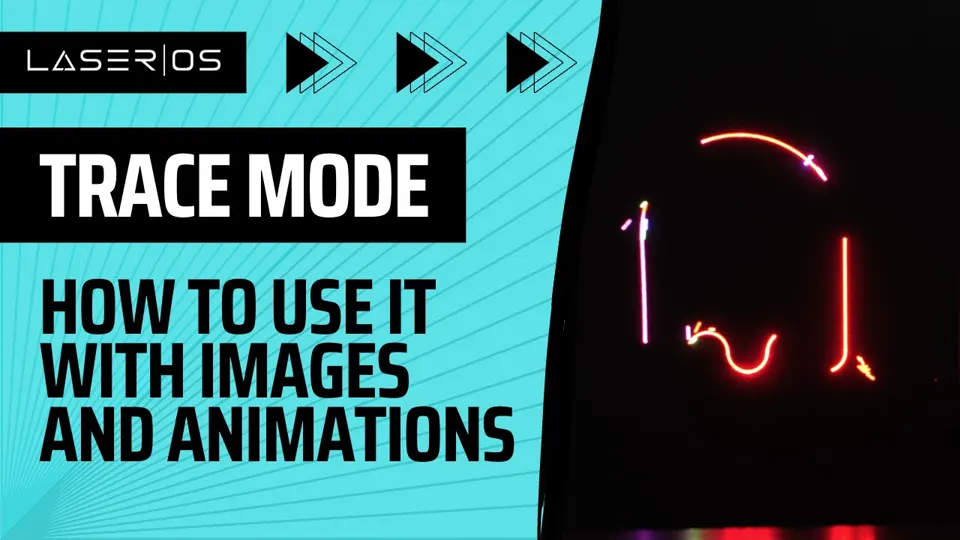
The free LaserOS software, which runs across Windows, Mac, Android, and iOS devices, includes dedicated mapping tools designed for quick field alignment. You can outline your home in minutes using a straightforward workflow:
- Position and link your projector: Set the LaserCube up securely in the front yard, aimed at the house facade, then connect your laptop, tablet, or phone wirelessly over Wi-Fi. If you are operating in a dense neighborhood with heavy wireless traffic, you can optionally connect a hardwired Ethernet cable using the included USB-LAN adapter to avoid packet buffering.
- Trace physical boundaries in the Draw App: Open the Draw App, tap and hold the screen to drop your initial anchor point, and trace vector lines directly over rooflines, doorframes, and gables using a finger or mouse.
- Add animated graphics with Trace: Under Settings > Tools (desktop LaserOS; in the phone app, the settings gear), enable Trace to make an image, an animation or your own SVG or ILD logo draw itself. Trace doesn’t work on Draw drawings (its switch is greyed out), so use it on your Halloween graphics, not on the traced outlines. Adjusting the Clusters slider sets how many starting points the laser uses to draw the design, while the Sparks slider generates flying particle effects around tombstones, carved pumpkins, and skeletons.
Begin your mapping session at dusk, while the rooflines are still easy to see as you place your outline points. If you plan to expand your display across a larger property, explore our guide on building projection mapping to plan architectural boundaries and scaling.
Frequently Asked Questions (FAQs)
Q01How do you set up outdoor Halloween laser lights for the best effect?
Place the projector on solid ground with a clear view of your target surface. Avoid obstacles. Use a stake or tripod for stability and aiming. A LaserCube is rated IP51, and IP63 with its rain cover fitted: with the cover it can be used in light rain, but not in heavy rain, and never in rain without the cover (the LaserCube Pro’s rain cover isn’t available yet). Check the look at night and adjust for clear, bright patterns. Stay with the display while it runs: a LaserCube should never be left running unattended.
Q02Are LED or laser projectors better for saving energy?
Laser projectors generally use less electricity than LED projectors covering large areas because they use focused light beams. They also tend to have a long lifespan.
Q03Can Halloween laser lights be used indoors safely?
LaserCube is a professional show laser, not a toy: never aim it at people's eyes, at audiences or at aircraft, and never at anything flammable. Indoors, keep every beam at least 3 m (10 ft) above the floor wherever people may be, keep the cube away from children, and follow all manufacturer instructions, including the safety features like the key/interlock on a LaserCube, which must never be bypassed.
Q04How can you find Halloween laser lights for sale nearby?
During the Halloween season, check local hardware stores, big box stores, or party supply shops for basic projectors. Online retailers offer many options. For specialized projectors like LaserCube, purchase directly from the official website, laseros.com. X-Laser is our only authorized distributor.
Q05Do you need a fog machine for Halloween projection mapping?
No. Projecting vector outlines, text, and animations onto a house or yard prop does not require fog or haze. Airborne mist is only needed if you want to reveal physical 3D light beams cutting through the air.
Q06Can laser mapping damage home security cameras or smart doorbells?
It can. Concentrated laser beams can damage digital camera sensors if aimed directly into the lens. Before running a display, use Safety Zones in LaserOS to draw keep-out zones over all security cameras, doorbells and windows, with the attenuation at 100% so the beams there are fully blanked. A zone never protects people: nobody should be in front of the laser.
See it for yourself
LaserCube is a portable, battery-powered RGB laser projector, and its show software, LaserOS, is free.
Explore the LaserCube lineup