Battery Laser Show Projector: A Show With No Socket
Every LaserCube runs on its own battery. Run times, charging, power banks, shows without a computer and outdoor rules for a portable laser light show.
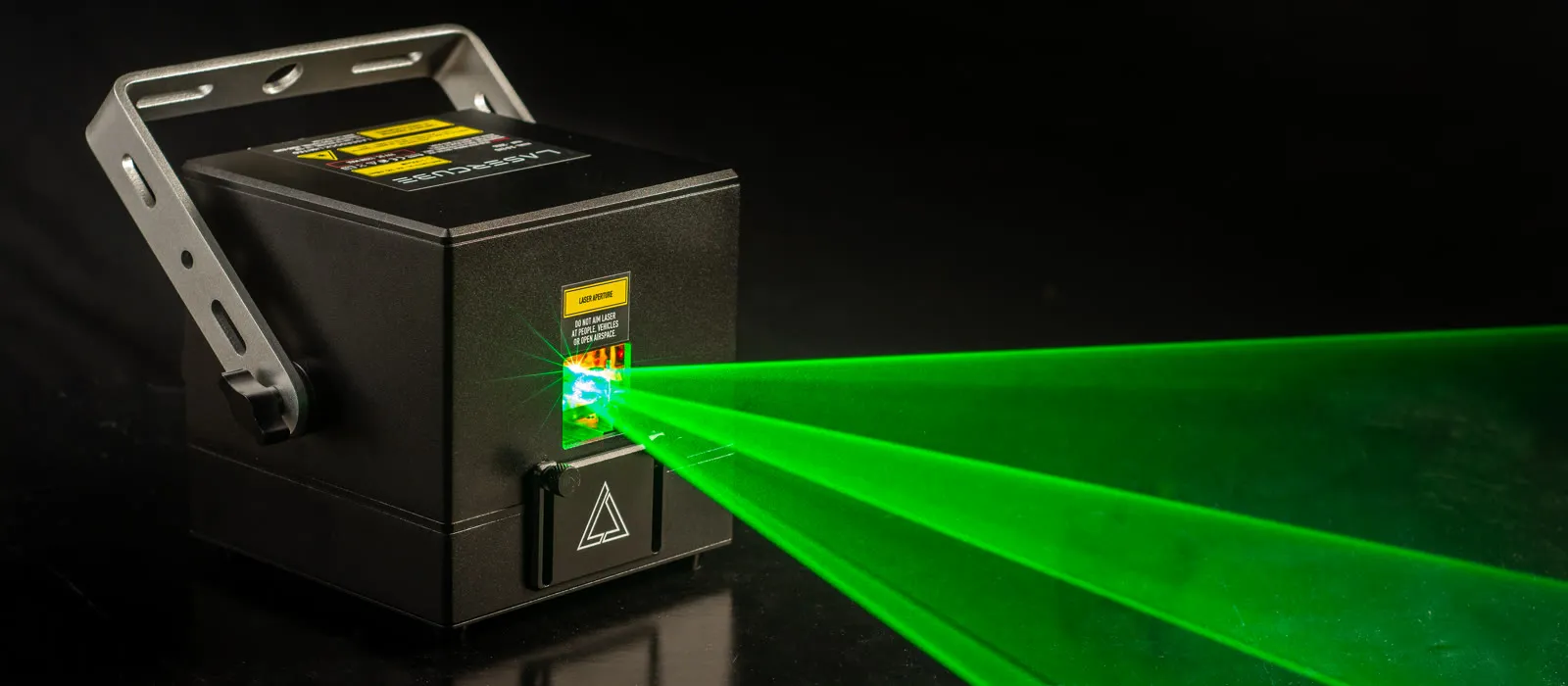
Every LaserCube runs on its own built-in battery. There is no cable to a socket and no light controller to plug in, and setup takes under 5 minutes. That makes it a portable laser show projector for a garden party, a pop-up stage, a gig in a room with no free outlet, or a show that moves from place to place.
This guide covers how long each model runs, how to keep it going longer, how the Pro and Ultra MK2 play a show with no computer, and what to watch outdoors.
How long does the battery last?
- LaserCube Ultra MK2 (6W or 10W): 92 Wh battery, about 3 to 4 hours, charges in about 4 hours.
- LaserCube Pro (3W or 6W): 70 Wh battery, about 2 to 3 hours, charges in about 3 hours.
- LaserCube WiFi (1.2W or 2.5W): 46 Wh battery, about 2 to 3 hours, charges in about 4 hours.
Every LaserCube also charges while it plays on its charger, so for a longer event, plug it in when a socket is near. A cube can run for hours on its charger as long as it doesn't overheat, and with their improved cooling, continuous use of the Pro and Ultra MK2 should be fine.
Power without a socket
A power bank can work if it gives 19V. Match the charger in the box: 19V DC through a 2.5 × 5.5 mm plug, at 65W for the WiFi and the Pro 3W, and 120W for the Pro 6W and the Ultra MK2. A weaker supply can be damaged on the bigger models; a higher-wattage 19V supply with the same plug is fine.
A show with no computer (Pro and Ultra MK2)
The Pro and Ultra MK2 have a screen and a rotary knob on the back and play on their own:
- Laser shows: 38 ready-made shows in 7 categories (EDM, Christmas, Thanksgiving, New Year, Birthday, Wedding, Halloween), from the microSD card that comes in the box. The cube has no speaker: the show's music comes out of its 3.5 mm audio output, to powered speakers or a mixer.
- Visualizers: 91 sound-reactive visuals built into the cube, which follow the music through the built-in microphone or the 3.5 mm line input.
- Playlist mode: your own playlist, made in LaserOS on a computer and exported to the microSD card.
The cube's own web apps let you control Playlist and Visualizer modes from a phone, without LaserOS. Always switch the cube off before you take the microSD card out or put it in.
Playing from a phone, tablet or laptop
Every LaserCube plays from the free LaserOS app on iOS, Android, Mac or Windows; the WiFi models always play this way. You don't need a router or internet: the cube makes its own WiFi network for your device to join, and LaserOS works offline. Keep the phone or laptop near the cube while it plays.
Several cubes together
The Pro and Ultra MK2 sync wirelessly with Cube Link, about 20 to 40 m line of sight, so several cubes can play one show together. Fit the WiFi antenna on every cube first, and keep metal objects out of the way between the antennas. A Pro and an Ultra MK2 can run together. WiFi cubes link through an Ethernet switch.
Outdoors on battery
- Show after dark: no LaserCube is made for projecting outdoors in daylight. Darkness and a little haze or fog make the beams much more visible.
- Every beam must end on a solid surface such as a wall, a building or a screen, never in the sky or open airspace. Not on anything metal, shiny or reflective, and never on windows or glass.
- Wherever people may be, keep every beam at least 3 m (10 ft) above the ground.
- The Ultra MK2 and Pro are rated IP51, and IP63 with the rain cover fitted, which allows light rain but not heavy rain. The Ultra MK2's rain cover is on the gear page; the Pro's isn't available yet, so for now a Pro can't be used in rain. The WiFi models are rated the same with their own cover.
- Use it between 10 °C and 40 °C (50 °F and 104 °F); damage from heat or cold isn't covered by the warranty. Strong sun can trigger the temperature cut-off: the cube then stops and doesn't restart by itself, so let it cool down first.
- Stay with the cube while it runs. It has no scheduled or automatic start: the safety key is turned by hand each time.
- For public shows, check your local rules.
Taking it with you
Every LaserCube comes with a case. The WiFi screws onto a standard camera tripod. The Pro and Ultra MK2 have a bracket with lockable tilt and a central hole for an M8 or M10 bolt, so a truss clamp fits; when you mount one at height, attach a safety cable through the eye bolt on the back panel. Flying: a LaserCube goes in carry-on luggage, not checked luggage, because of its battery. Check with your airline too.
Which LaserCube is the most portable?
- The Pro is the smallest professional model: 13 × 13 × 13.5 cm and 2.5 kg, with standalone shows and DMX, ILDA and MIDI. It isn't sold in the USA yet.
- The Ultra MK2 has the longest battery (3 to 4 hours) and is our most powerful model. In the USA, it is the professional model we sell; US buyers of the Ultra MK2 10W pass X-Laser's free online Laser Operator Course before it ships.
- The WiFi is the budget option and the lightest at 1.7 kg, played from a phone, tablet or computer.
Compare them on the models page, and see prices and combos for your country on the LaserCube page.
A word on safety
LaserCube is a professional show laser, not a toy: never aim it at people's eyes, at audiences or at aircraft, and never at anything flammable. More in our safety tips.
Frequently asked questions
Q01Can I run a LaserCube from a power bank?
It can work if the power bank gives 19V through a 2.5 × 5.5 mm plug, at least at your model's charger wattage: 65W for the WiFi and the Pro 3W, 120W for the Pro 6W and the Ultra MK2. Otherwise use the cube's own battery, or its charger when a socket is near.
Q02Does it keep playing while it charges?
Yes. Every LaserCube charges while it plays on its charger.
Q03How long can it run on its charger?
For hours, as long as it doesn't overheat, and with their improved cooling, continuous use of the Pro and Ultra MK2 should be fine. Someone stays with it the whole time: a LaserCube should never be left running unattended.
Q04Do I need WiFi or internet at the venue?
No. The cube makes its own WiFi network for your phone or laptop, and LaserOS works offline. The Pro and Ultra MK2 can also play on their own with no device at all.
Q05Can I take a LaserCube on a plane?
Yes, in carry-on luggage, not checked luggage, because of its battery. Check with your airline too.
See it for yourself
LaserCube is a portable, battery-powered RGB laser projector, and its show software, LaserOS, is free.
Explore the LaserCube lineup