Landscape Laser Lighting for Outdoor Displays
Upgrade to a landscape laser projector for high-impact outdoor displays. The LaserCube lets you project sharp SVG logos and vector graphics wirelessly.
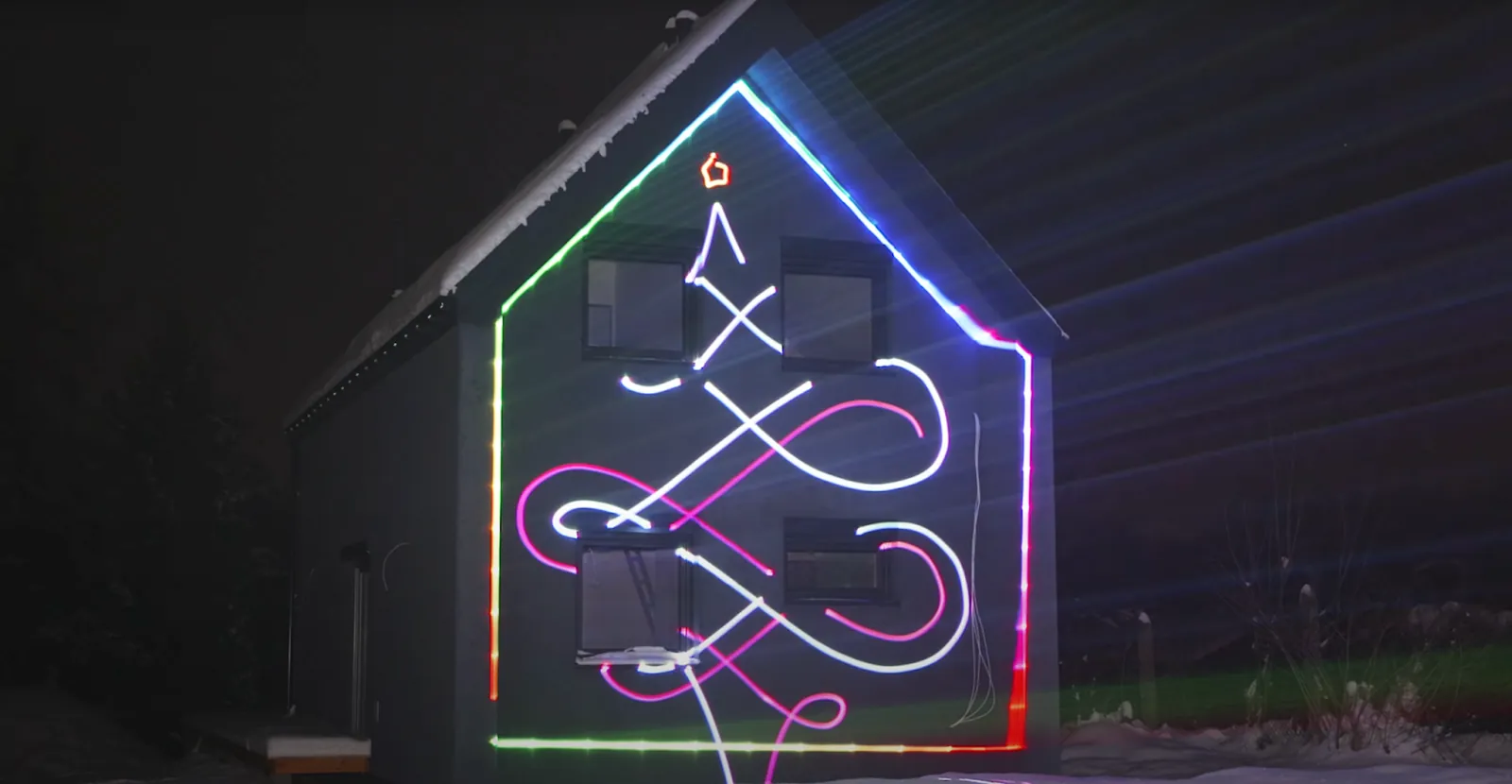
Landscape laser lighting for business displays: High-impact outdoor projections and guerrilla marketing
Most storefronts rely on static garden lights or basic star projectors that fade under bright streetlights and fail to display brand logos. Buying single-use metal gobos and routing heavy power cords across sidewalks wastes money and creates trip hazards.
Professional galvo-driven landscape laser projectors solve this problem by drawing sharp, full-color SVG logos and animated graphics directly onto building walls, completely wire-free.
Upgrade static star lights to galvo vector systems
Traditional garden fixtures scatter static dots through fixed plastic lenses. These consumer devices use low power output and simple motors that produce blurry patterns.
Professional landscape laser projectors use motorized mirrors called galvanometer scanners to guide concentrated light beams. These galvos tilt thousands of times per second across two axes to draw solid vector shapes, sharp lines, and fluid visual animations.
- Diffraction vs. galvo scanners: Consumer star projectors scatter static dots through cheap diffraction lenses. Galvo-driven laser landscape lighting systems use high-speed motorized mirrors to steer concentrated RGB light.
- Zero background light spill: Vector lasers only project light along the artwork’s path. Dark background areas receive no light spill, creating high contrast on building walls.
- High power output: More laser power means better visibility: for buildings and long distances we recommend the LaserCube 10W Ultra MK2 (10,000 mW); the LaserCube 2.5W WiFi (2,500 mW) works at long range only in total darkness.
Operators can review galvo scanner specs and explore pro laser systems vs consumer models to understand how mirror speed and power impact graphic stability outdoors.
Project custom SVG logos for outdoor brand displays
Buying single-use metal gobos for commercial projectors takes days and increases marketing expenses. A galvo-driven landscape lighting laser eliminates physical stencils by rendering vector artwork directly from software.
Marketing teams can import vector SVG files into the free LaserOS app on a phone or laptop. The software converts vector paths into precise laser coordinates to project sharp brand logos onto brick or concrete walls.
- Zero stencil costs: Importing SVG vector graphics directly into LaserOS replaces physical metal gobos and costly video projector bulb replacements.
- Instant software conversion: Vector artwork converts into precise laser coordinates using LaserOS on iOS, Android, Mac, or PC in seconds.
- The Trace effect: Enabling Trace adds dynamic animations, spark visualizers, and cluster outlining to capture attention during sidewalk activations.
Businesses can learn more about preparing artwork in the guide to custom laser graphics shows for outdoor activations.
Deploy wire-free pop-ups with battery-powered projectors
Routing long extension cords across public sidewalks creates trip hazards and requires complex outdoor power planning. A battery-powered landscape laser light projector removes the need for external power drops during pop-up activations.
Internal lithium-ion battery packs supply reliable power without tethering the unit to a wall outlet. You can position the projector on a quick-release tripod plate; keep every beam at least 3 m (10 ft) above the sidewalk and anywhere else people may be. Stay with it while it runs: a LaserCube should never be left running unattended, and it isn’t made to stay outdoors permanently (a permanent setup needs a climate-controlled enclosure).
- Cable-free safety: Built-in lithium-ion battery power eliminates long extension cords and tripping hazards across public sidewalks or patio entryways.
- Flexible battery runtime: Compact models like the LaserCube 2.5W WiFi run for 2 to 3 hours, while the LaserCube 10W Ultra MK2 provides 3 to 4 hours of power for full-evening events.
- Wireless control: Wi-Fi lets operators trigger visual displays from a phone or laptop without data cables, and Ethernet is there when a cable is better.
Marketers can explore architectural laser mapping with portable projectors to plan mobile building projections.
Configure digital safety zones and weather protection
Operating a high-power landscape laser light outdoors requires strict attention to safety and local rules. LaserCube is a professional show laser, not a toy: never aim it at people's eyes, at audiences or at aircraft, and never at anything flammable. Beams must end on a wall or another solid surface, away from people, roadways, windows and open airspace.
The LaserOS app includes Attenuation Zones, also known as Safety Zones. Operators draw red keep-out zones over windows, cameras or objects, and the laser power in those regions is reduced according to the attenuation setting (100% blanks the beams fully).
- Digital Attenuation Zones: A red keep-out zone in LaserOS keeps beams off windows, cameras and objects, and a green keep-within zone keeps the logo on the wall. A zone never protects people: nobody should be in front of the laser, with or without one. Learn how to configure these in the LaserOS setup tutorials.
- IP63 weather protection: Enclosing the unit in the official Rain Cover accessory upgrades chassis protection from IP51 to IP63, for light rain (not heavy rain or snow).
- Regulatory compliance: In the US, LaserCube is certified through X-Laser, and a LaserCube bought in the USA comes with the FDA variance (issued by X-Laser). For public shows, check your local rules too. A physical E-Stop (required in the US, optional elsewhere) stops the laser with one press of its red button.
Wrapping up
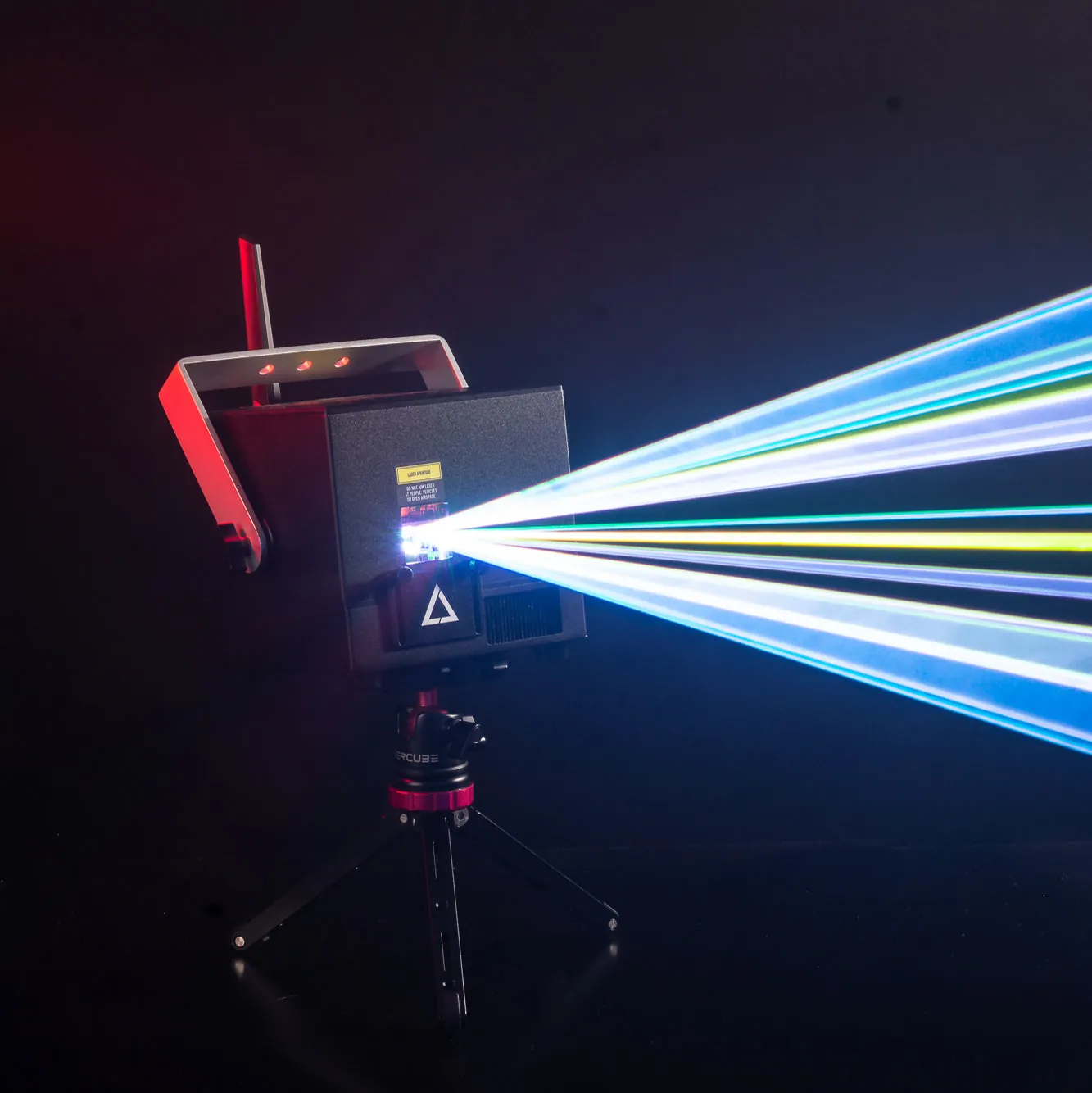
For attended outdoor brand activations, a professional vector projector gives business owners an agile tool. High-speed galvo scanners, vector SVG logo imports, and wireless battery power allow teams to deploy high-impact visual displays anywhere.
Every LaserCube comes with a 1-year limited warranty covering parts and labour, including the battery.
Ready to see the full LaserCube lineup? Visit the LaserCube product page to compare models, outdoor accessories, and bundles for your next display.
Frequently Asked Questions (FAQs)
Q01What are the differences between LaserCube and other landscape laser options?
LaserCube generally offers brighter beams, the ability to create fully custom patterns and animations with its software, and app control, which many basic landscape lasers don't have. It can create sharper images with vivid colors. Compact LaserCube can also animate designs and sync with music, giving you more creative options for your yard.
Q02Can landscape laser lights be controlled remotely?
Yes, many landscape laser lights include remote controls. LaserCube specifically works with its LaserOS software, often controlled via a smartphone app or computer. This app lets you change colors, patterns, and brightness. Stay with the projector while it runs, though: a LaserCube should never be left running unattended, and its safety key has to be turned on by hand each time. Some simpler landscape lasers might come with basic physical remotes.
Q03What is the difference between a consumer star projector and a professional vector laser?
Consumer star projectors use static diffraction lenses to scatter fixed dots, whereas professional vector lasers use motorized galvo scanners to draw custom SVG logos, sharp text, and animated light displays.
Q04Can a landscape laser light projector be used outdoors in bad weather?
Only in light rain: with the official LaserCube Rain Cover fitted (IP63), it can be used in light rain, but not in heavy rain or snow, and the beams still project clearly. The LaserCube Pro's rain cover isn't available yet, so for now a Pro can't be used in rain.
Q05How do digital safety zones work on an outdoor landscape laser setup?
Operators draw red keep-out zones in the LaserOS app over windows, cameras or objects, or a green keep-within zone around the wall they project on. Inside a keep-out zone (or outside a keep-within zone), the laser power is reduced according to the attenuation setting; at 100%, the beams are fully blanked. A zone never protects people: nobody should be in front of the laser, with or without one.
See it for yourself
LaserCube is a portable, battery-powered RGB laser projector, and its show software, LaserOS, is free.
Explore the LaserCube lineup