Do You Need Laser Safety Glasses for a Laser Show?
Wondering if you need laser safety glasses for a laser show? This guide explains when goggles are required and why the beams must never reach the crowd.
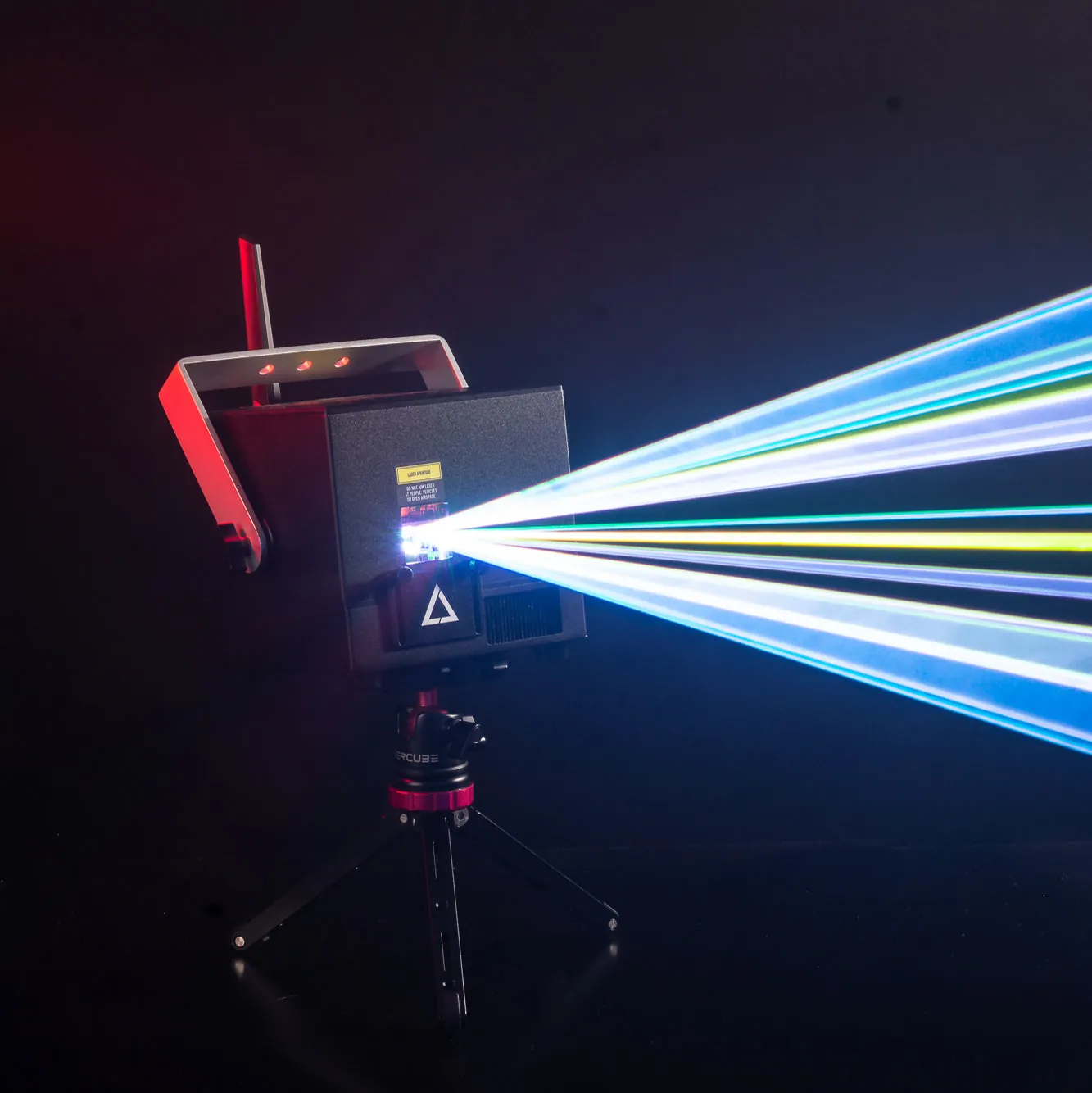
When planning a live event, crowd safety naturally serves as a top priority for lighting professionals. It is very common for event producers to feel a bit concerned about the brightness of high-power projectors. So does the audience need safety goggles?
Glasses are not what protects an audience: the beams must never reach people. Keep every beam at least 3 meters (10 feet) above the floor wherever people may be. LaserCube is a professional show laser, not a toy: never aim it at people’s eyes, at audiences or at aircraft, and never at anything flammable. Safety tips.
This guide explains exactly when protective goggles are necessary, and how to set up a show so the beams stay away from the audience.
Understanding When Glasses Are Required
The audience is never meant to be in the beams, but the person operating the projector faces different requirements. Laser beams consist of highly concentrated light, meaning they require careful handling. Any eye exposure to the beam can cause instant injury and permanent blindness.
For this reason, operators should always wear proper protective eyewear during specific phases of the event. These specific phases include:
- Initial setup: When positioning and aiming the device on a stand.
- Testing: When verifying the projection path before the event begins.
- Maintenance: Whenever you rig, maintain or otherwise work with the laser. Never stand in front of the laser while it is active, with or without glasses.
Since modern devices emit full-color light, operators will want to choose goggles specifically rated to protect against the full RGB spectrum.
Keep the Beams Away from the Audience
It is quite common for people to wonder how such powerful light can be used at a show where nobody in the crowd wears goggles. The answer lies in where the operator directs the beam: never at people.
The most effective safety measure is always the physical positioning of the projector itself. International standards advise operators to keep the light physically out of reach of the audience.
To achieve this proper placement, operators should follow a few basic physical rules:
- The 3-meter rule: All beams must stay at least 3 meters (10 feet) above the floor wherever people may be, and the beam block is set so nothing scans into audience areas.
- The 3-meter buffer: Keep at least 3 meters on all sides between the areas where people are allowed and the areas the beams reach; every beam must end where nobody is.
Aim the projector high above the crowd, and never aim or reflect the beams toward people or reflective objects.
Digital Safety Zones Protect Cameras, Not People
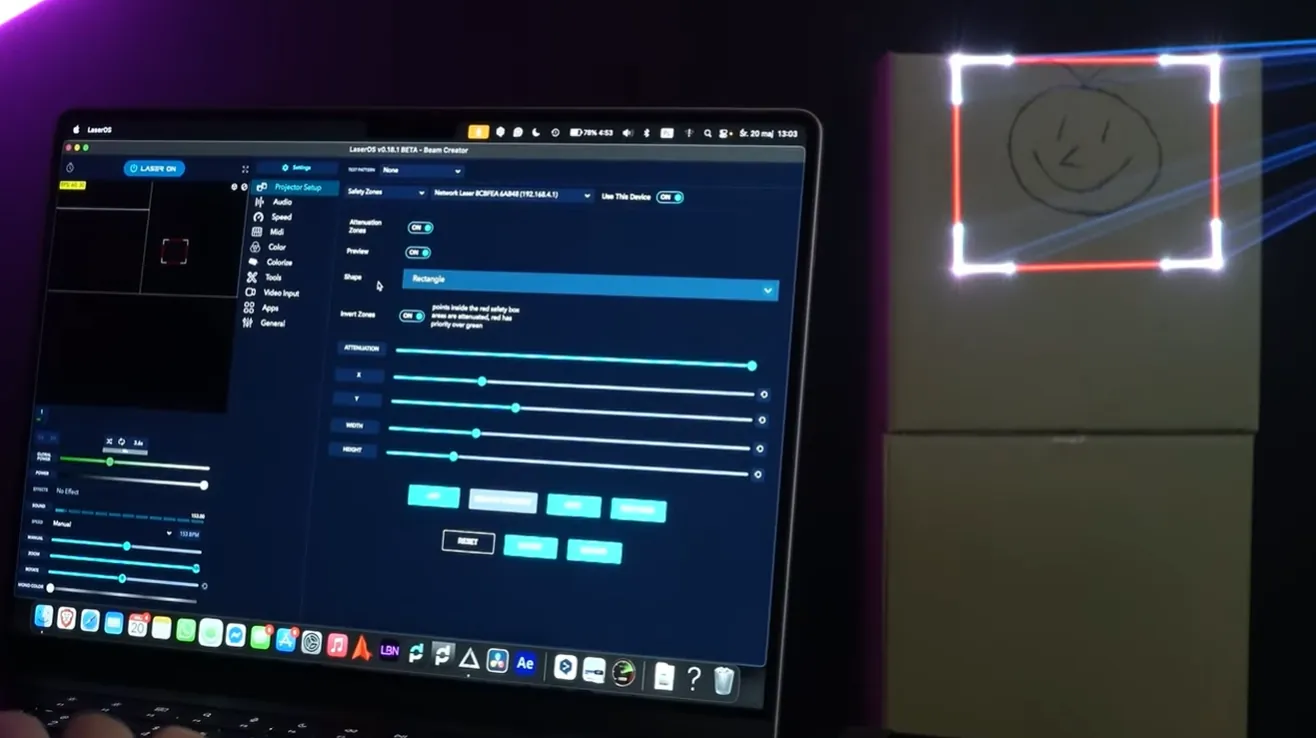
Software can’t replace physical height. In venues with low ceilings or balcony seating, beams must still stay at least 3 meters above everyone and never reach them. Safety zones work on top of the beam block and the 3-meter rule, never instead of them.
Many control apps now allow operators to draw a digital boundary around any sensitive areas in the room. For example, the free LaserOS software includes a helpful tool known as Attenuation Zones. Using this feature, operators can easily draw a digital blackout box over a camera, a video projector or an object.
This software feature allows operators to customize safety in a few ways:
- Custom shapes: Drawing blackout rectangles, circles, or ellipses over specific targets.
- Power reduction: Inside that carefully drawn box, the beams are reduced according to the attenuation setting (at 100% they are blanked fully).
- Camera protection: Shielding sensitive camera lenses from accidental laser exposure.
A zone never protects people: nobody should be in front of the laser, with or without a zone.
Hardware Fail-Safes for Live Events
Even when a setup has perfect positioning and smart software in place, preparing for the unexpected is always a good idea. True professional projectors usually include physical hardware fail-safes for extra peace of mind. These helpful tools will cut the power instantly if anything goes wrong during a performance.
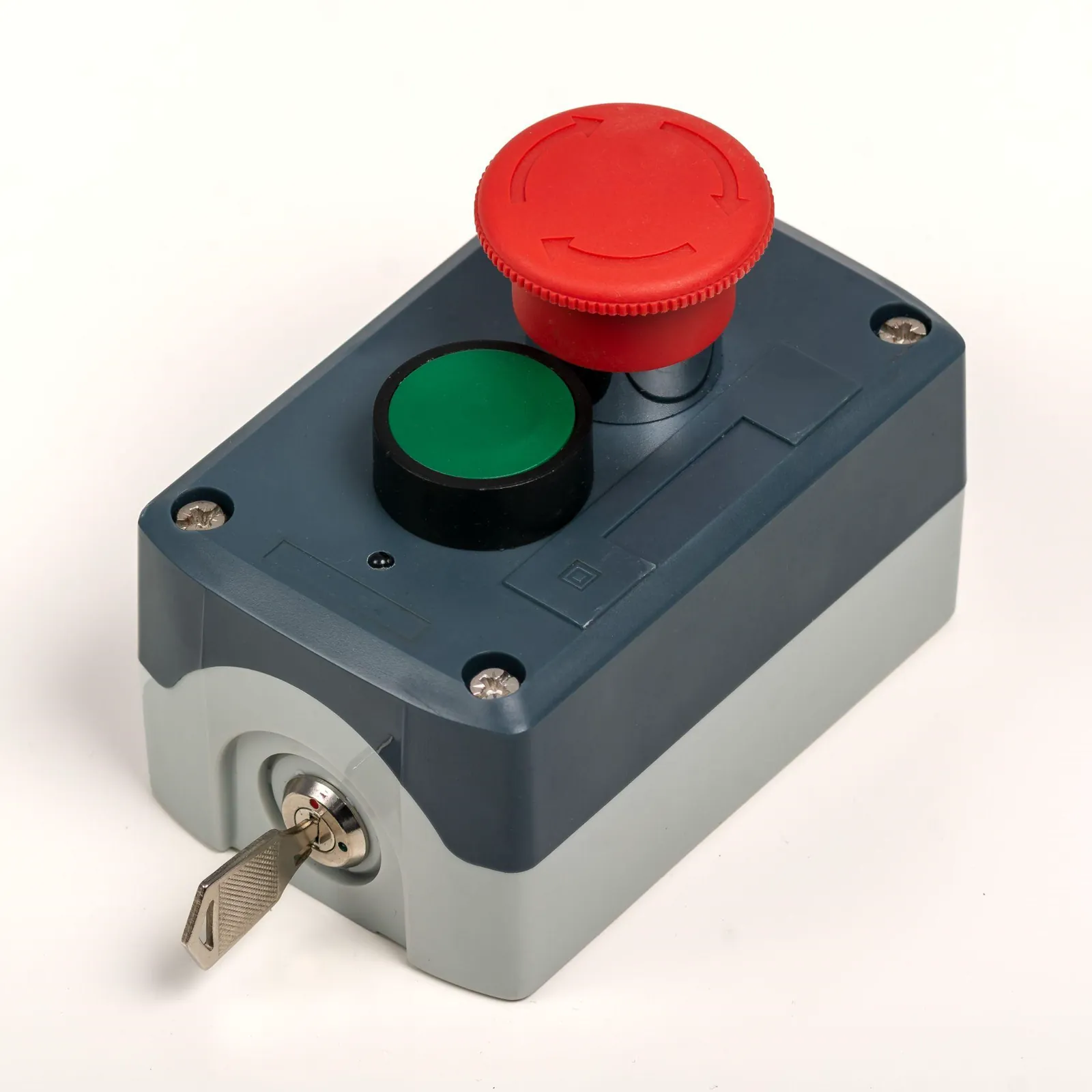
For those working with professional stage setups, incorporating a tool like the E-Stop Kit for Ultra MK2 provides a comforting layer of protection. This kit features a physical emergency stop button that connects directly to the projector.
This type of hardware offers several practical benefits for live shows:
- Instant shutdown: Pressing the red button shuts off the diodes instantly.
- Simple connections: The kit utilizes a standard RJ45 connection for easy setup.
- Daisy-chaining capability: Event crews can easily connect multiple Ultra MK2 units to a single E-stop button.
If someone accidentally bumps the projector stand, the operator simply presses the button to stop the laser at once.
Wrapping Up
Keep every beam at least 3 meters (10 feet) above the floor wherever people may be, and set the beam block. Safety zones keep beams off cameras and objects; they never protect people.
Event professionals interested in exploring these modern safety tools further can visit LaserCube main website. Here you can see the Safety Zones and E-Stop functions.
Frequently Asked Questions (FAQs)
Q01Do operators need a special license to run a laser show?
LaserCube is fully legal and certified worldwide. In the US, LaserCube is certified through X-Laser, and a LaserCube bought in the USA comes with the FDA variance (issued by X-Laser). For public shows, check your local rules too. US buyers of the Ultra MK2 10W must pass X-Laser’s free online Laser Operator Course before it ships.
Q02Are laser safety glasses required for outdoor events?
Not for the audience. The rules for outdoor events remain the exact same as indoor setups: the beams must never reach people. They stay at least 3 meters (10 feet) above everyone and end on a building facade or another surface, never in the open sky. The operator wears glasses while rigging, aligning or otherwise working with the laser.
Q03Can a laser projector damage camera equipment during a show?
Yes, highly concentrated light can damage the sensitive sensors inside digital cameras or smartphones. To prevent this, operators should always use software tools like Attenuation Zones to draw digital blackout boxes directly over any professional camera rigs in the room.
Q04What type of safety glasses should an operator buy?
Since modern projectors utilize red, green, and blue diodes to create millions of colors, operators need glasses that block a wide range of light. It is highly recommended to purchase protective goggles specifically rated for the full RGB spectrum for the setup process.
See it for yourself
LaserCube is a portable, battery-powered RGB laser projector, and its show software, LaserOS, is free.
Explore the LaserCube lineup