Do You Need Fog for a Laser Show? A Quick Guide
Do you need fog for a laser show? Yes. Learn why laser beams are invisible mid-air and how to use compact foggers to create stunning 3D aerial effects.
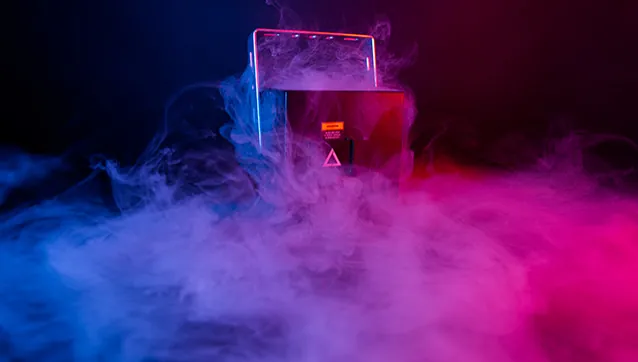
It happens to almost every new laser owner. We have seen it countless times: you unbox your new projector, set it up, and turn it on. You expect a massive 3D aerial show, but instead, you just see a flat, moving dot on the wall.
This leads to a very common question: Do you need fog for a laser show? The short answer is yes. Laser beams are concentrated light, meaning you need airborne particles in the room to actually see them mid-air.
Whether you use a high-end hazer or a simple fog machine for party setups, atmosphere is the missing ingredient.
Why Are My Laser Beams Not Visible?
Lasers emit concentrated beams of light that travel in a straight line, passing through clear air without scattering. Because of this, the light remains completely invisible to the human eye from the side.
You will only see the beam when it hits a physical surface, like a wall or a projection screen. To see the actual beam mid-air, the light needs physical particles to bounce off. Dust, water vapor, or smoke reflects light back to your eyes.
Without some form of haze or smoke, you miss out on the 3D aerial effects that make a fog laser display look so impressive.
Fog vs. Haze for Lasers: Which Works Better?
In our experience running live shows, the debate of fog versus haze for lasers comes down to your venue size. Fog machines create thick, white clouds in one localized spot. Hazers create a thin, even atmosphere throughout the entire room.
Large concert venues use high-end hazers to create a continuous canvas for lasers without choking the audience. For mobile DJs, basement clubs, or home events, using a standard party fog machine works perfectly if you manage the output.
Pro Tip: You can simulate high-end haze on a budget. Just place a small desk fan directly in front of your fogger to break up the thick clouds and spread a thin, even atmosphere.
Match Your Atmosphere to Your Venue Size
Massive industrial hazers are too much for a living room. Similarly, a cheap Halloween fogger cannot fill a large warehouse. For small rooms, short bursts from a compact fog machine provide all the coverage you need.
Beginners often worry about portability or setting off fire alarms, but you do not need a massive unit to get great results. The LaserCube Nano Fogger is built to solve this exact problem.
This compact, portable fog machine is made specifically for laser shows. It produces the exact amount of smoke needed to make beams visible, without smoking out the entire room.
Why Your Laser Projector Matters
Having fog in the room is only half the equation. Your projector still needs the optical power to cut through it.
Cheap generic DJ lights often use low-quality lasers that scatter and lose their color when hitting thick smoke. The LaserCube 1.2W WiFi and LaserCube 2.5W WiFi use pure diode technology to fix this issue.
This technology keeps beams sharp and colors bright even in dense fog. To get the most from your setup, you also need the right graphics. This is why the LaserOS app comes with over 500 pre-built animations and 80 visual effects designed for hazy rooms.
Pairing a battery-powered LaserCube with the compact Nano Fogger creates a portable aerial rig you can run straight from your phone.
Set Up Your Equipment for Maximum Visibility
Proper placement of your projector and fog source changes how your show looks. Here are a few expert tips for a better setup:
- Positioning: Place the fog machine slightly behind or to the side of the laser projector. This allows the beams to shoot directly through the thickest part of the fresh fog.
- Protect the Lens: never place a fogger directly under your projector. We have seen oily fluid residue coat the optical window and damage lasers over time.
- Safety: Never scan beams into a crowd. Keep every beam at least 3 meters (10 feet) above the floor wherever people may be, and set the beam block so nothing scans into audience areas.
Wrapping Up
A laser projector without an atmosphere is like a movie without a screen. If you want rich aerial beam shows, you must put particles in the air.
Ready to complete your setup? Visit the LaserCube gear page to explore the Nano Fogger and other accessories for your next show.
See it for yourself
LaserCube is a portable, battery-powered RGB laser projector, and its show software, LaserOS, is free.
Explore the LaserCube lineup