Pangolin Beyond vs Liberation: Which is Right for You?
Pangolin Beyond vs Liberation: Learn why modern laserists are switching to open hardware and wireless control for faster, more affordable stage deployments.
Software like Pangolin Beyond connects to projectors through its own DAC interfaces, which adds hardware costs before programming even begins.
The alternative is switching to a modern, open-hardware approach that prioritizes laser freedom. To help you navigate this industry shift, this Beyond vs. Liberation comparison breaks down the smartest control setups for your upcoming laser shows.
1. Compare the Hardware Setup
Platforms like Pangolin Beyond require proprietary built-in or external boxes (DACs), such as the FB3 or FB4 interfaces, to communicate with your projectors. This creates a closed ecosystem and inflates your initial budget significantly.
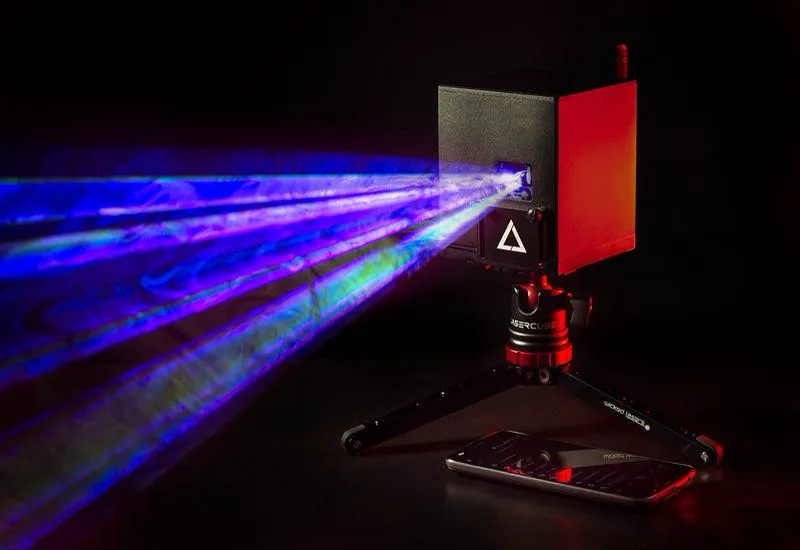
Newer options like Liberation laser software embrace open standards so they can work natively with more interfaces right out of the box. A good example here: LaserCube.
The laser industry has suffered from closed ecosystems for years. If basic lighting protocols like DMX were locked to a single brand, it would frustrate lighting designers. Liberation fixes this problem by adding more compatible devices to their list. Also, what’s worth adding: it’s fresh, provides modern UI and a lot of features.
An open hardware approach instantly improves your workflow:
- Direct network connection: Connect Liberation straight to your LaserCube using built-in Wi-Fi or Ethernet.
- Zero hardware clutter: You avoid buying and packing bulky external DAC interface boxes.
- Compatible and versatile setup: your laser hardware can still be compatible with many other apps if you decide to work with Liberation. The Ultra MK2 and Pro also have an ILDA input, so they work with Pangolin’s DACs too.
2. Look at Cross-Platform Options
Pangolin Beyond currently forces operators to use a Windows PC. This means Apple users must buy a dedicated Windows laptop just to run their lasers.
Fortunately, modern Liberation laser software offers total support for both Mac and Windows environments to eliminate this extra hardware cost.
Cross-platform flexibility gives you several clear advantages:
- True laptop freedom: Build and run shows using the computer you already own and trust.
- Mobile show control: Operate your LaserCube laser projectors from a smartphone using the free LaserOS app.
- Consistent feature sets: Get the same design tools regardless of your chosen operating system.
3. Test the Animation Workflow
Pangolin Beyond software relies on a deep, traditional timeline approach that often requires a steep learning curve to master. While powerful, this workflow can drastically slow down new users trying to program a live beam show.
Conversely, Liberation introduces a modern, node-based clip editor that makes generating effects and 3D particle systems much easier. You can even import custom SVG sequences seamlessly.
Laser lighting designers note that Liberation allows you to create complex, perspective-corrected visuals much faster than legacy alternatives.
Pairing this software with the LaserCube Ultra MK2 10W helps your high-speed 3D graphics render smoothly.
4. Grow Your Production Affordably
Scaling up a massive stage design with Pangolin usually involves paying steep licensing fees for higher software tiers and buying dedicated hardware for every new projector (or at least paying extra for a built in hardware). This pricing model drains your production budget fast.
A Liberation laser setup provides a completely different financial path. You can design your visuals for free and only pay when you actually output them.
Professional operators point out that this flexible approach saves money over time. You can build complex laser shows from your couch and only activate your license when you arrive at the venue.
Pairing this accessible software with the LaserCube Ultra MK2 10W creates a highly scalable rig. You can easily link multiple battery-powered projectors across any venue.
- Flexible pay-per-use: Pause your active subscription during your off-season.
- Free offline design: Build your entire timeline without purchasing an output license.
- Easy network scaling: Route several units over a standard network.
5. Enjoy Standardized Network Control
Touring artists need gear that deploys fast and runs flawlessly. Running long analog ILDA cables from an external DAC to every projector takes setup time and limits stage design.
A standardized network setup solves this problem completely. Instead of running long analog cables, you can command your laser projectors instantly using an ultra-reliable Ethernet connection.
Laser show designers note that this shift to standard networking pushes the whole industry forward. In fact, Liberation has already powered massive outdoor stages like Glastonbury Festival using rock-solid network protocols.
The LaserCube serves as the perfect hardware partner for this modern approach. It bridges the gap between complex touring equipment and user-friendly design.
- Streamlined stage deployment: Position your units easily using standard, affordable networking gear without routing long ILDA cables.
- Long internal battery life: Rely on the built-in battery for up to 4 hours of live performance, which means one less power cable to run.
- Massive power output: Push up to 10,000 mW of brightness from a portable 8.2-pound cube.
Wrapping Up
The Practical Takeaway: Next time you plan a stage design, download Liberation laser software for free and map out your timeline using their 3D visualizer. Doing this before spending a single dollar on software licenses will save you significant costs in advance.
Choosing the right control software ultimately dictates how freely you can create your visual experiences. While older systems certainly still work, adopting an open software approach provides incredible flexibility and protects your production budget.
By pairing your preferred software with a highly capable, battery-powered projector, you can easily build your ideal live show without the usual restrictions.
Your Next Step: Ready to experience this modern workflow? You can connect your LaserCube directly to Liberation for a seamless, network-ready setup that works via Ethernet. Visit our product page to find the best hardware ecosystem for your next professional production.
Frequently Asked Questions (FAQs)
Q01Is Liberation compatible with Mac and Windows?
Yes, Liberation provides full feature parity for both macOS and Windows 10/11. This allows you to design and run professional shows using the computer you already own without needing to buy a separate PC.
Q02Do I need a separate controller (DAC) to use LaserCube with Liberation?
No, Liberation connects directly to the LaserCube using its built-in network protocol. You can link the software to your hardware over Wi-Fi or Ethernet without purchasing any external interface boxes or dongles.
Q03Can I use Liberation for free to design my laser shows?
Liberation allows you to design, build, and save your shows for free with no time limits or locked features. You only need to purchase a license when you are ready to output to real lasers or DMX hardware.
Q04Does Liberation support DMX and Art-Net?
Yes, Liberation includes a powerful DMX system that lets you control Art-Net-compatible devices directly. This makes it simple to keep your lighting effects, like smoke machines or cold sparks, in perfect sync with your laser content.
See it for yourself
LaserCube is a portable, battery-powered RGB laser projector, and its show software, LaserOS, is free.
Explore the LaserCube lineup