Restaurant Laser Projectors: The Wireless Era
Upgrade to a restaurant laser that runs on WiFi. A complete guide to custom logos, sound-reactive shows, and Lumia effects.
How to Add Laser Lighting to Your Bar or Restaurant
The right lighting forces a customer to stay for a second drink. The wrong lighting sends them to the bar down the street.
Research confirms that ambiance directly drives revenue. Yet, for decades, venue owners avoided laser lighting because the barrier to entry was too high. You needed a dedicated engineer, a mess of ILDA cables, and a heavy truss system.
That era is over.
This guide explains how modern, wireless restaurant laser systems allow you to upgrade your atmosphere without the technical headache.
Why Legacy Club Lasers Fail in Small Venues
If you run a pub, lounge, or bistro, you cannot afford to waste floor space on a massive lighting rig.
Traditional “box” lasers present three expensive problems:
- The Cabling Nightmare: You must run heavy data cables to a central controller.
- Complex Control: They run on DMX512 protocol, which requires learning to program “channels” and “addresses.”
- Operating Costs: You often have to hire a person just to push the buttons.
The Shift to Wireless Projection
The most significant advancement in laser lights for bars is the removal of the control cable.
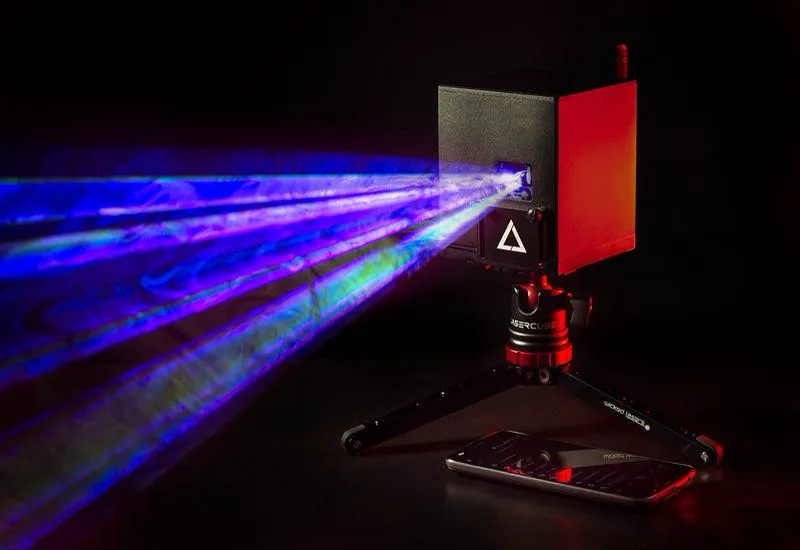
New compact devices have shrunk the technology into portable, battery-powered units. For example, units like the LaserCube connect directly to a local WiFi network, allowing you to place the projector on a high shelf or tripod without wiring it into the building’s infrastructure.
This allows a bartender or manager trained in laser safety to control the entire show from an iPad.
3 High-Value Ways to Use Laser Lighting
Professional lighting is not just for dance floors. Here is how to use a laser to drive revenue in a hospitality setting.
1. Projecting Custom Logos (Brand Awareness)
You can turn any blank wall into a digital billboard. When choosing a system, look for software that supports SVG files. This allows you to import your venue’s vector logo directly.
The laser traces your brand in crisp, neon light on a wall. This encourages customers to take photos and tag their venue on Instagram.
2. Creating Ambient "Lumia" Art
During dinner service, you want relaxation, not a rave.
We recommend looking for a laser capable of “Lumia” effects. This passes the beam through a distorted optical element to create slow, liquid-like ribbons of light. It adds color and depth to the room without distracting guests from their conversation.
3. Sound-Reactive Energy
When the kitchen closes and the late-night crowd arrives, the energy needs to shift.
High-quality lasers feature a built-in microphone with adjustable sensitivity. The system listens to the beat and triggers effects automatically. You do not need to program cues; the lighting simply reacts to the bass in real-time.
Critical Features: What to Look For
Not all lasers are built for public spaces. To ensure you are buying a professional tool, check for these two features.
1. Digital Safety Zones (Masking)
Safety is non-negotiable. LaserCube is a professional show laser, not a toy: never aim it at people’s eyes, at audiences or at aircraft, and never at anything flammable. Keep every beam at least 3 m (10 ft) above the floor wherever people may be, and set the beam block so nothing scans into the seating or bar areas. Read our safety tips.
Ensure your laser’s software allows you to draw “Safety Zones.” A zone keeps the beams off cameras, screens and objects, and keeps your graphics inside the target area, such as the ceiling or upper walls. It never protects people: it works on top of the beam block and the 3 m rule, never instead of them.
2. All-in-One Connectivity
Avoid systems that require a laptop dongle. The most efficient workflow for a bar is a direct connection to a mobile tablet. Systems like the LaserCube Ultra MK2 and Pro are designed for this, linking wirelessly to mobile devices to keep your setup clean.
💡 Pro Tip: Do You Need a License?
LaserCube is fully legal and certified worldwide; check your local rules for public shows.
In the US, LaserCube is certified through X-Laser, and a LaserCube bought in the USA comes with the FDA variance (issued by X-Laser). For public shows, check your local rules too.
Final Thoughts
You do not need a renovation to change how your venue feels. By switching to wireless, app-controlled laser lighting, you gain the flexibility to turn a quiet restaurant into a high-energy lounge in seconds.
Investing in the right atmosphere is the fastest way to turn a first-time guest into a regular.
See it for yourself
LaserCube is a portable, battery-powered RGB laser projector, and its show software, LaserOS, is free.
Explore the LaserCube lineup