Laser Show System: What You Need to Build One
What a laser show system needs: the projector, show control, haze, mounting and safety gear. Do you need a computer? And which LaserCube to buy.
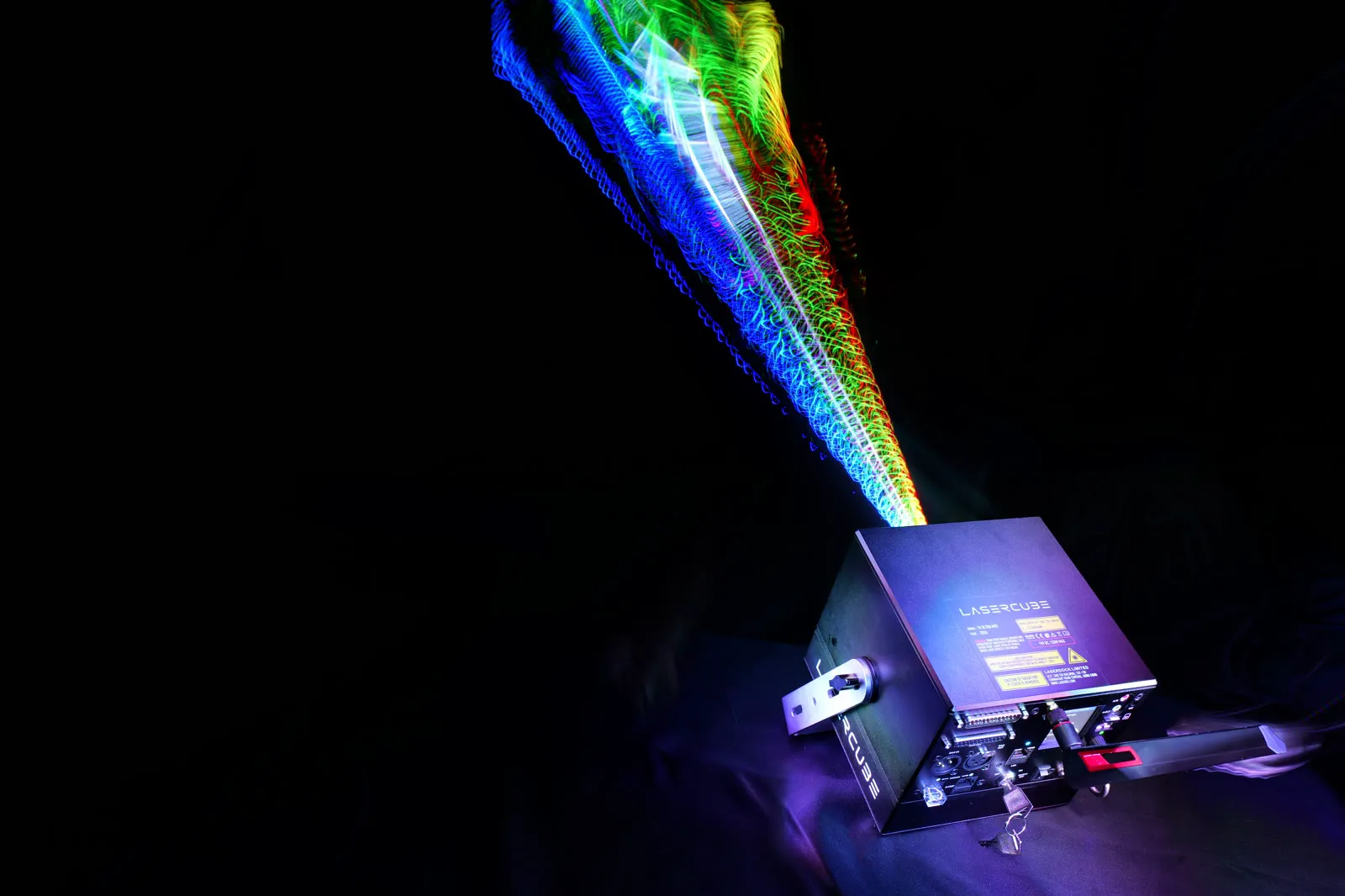
A laser show system, or laser light system, is more than a laser. Five parts make one: the projector, something to run the show, haze so the beams show up, mounting and power, and safety gear.
A LaserCube laser show system puts much of that in one portable cube. New to laser shows? Start with what a laser show is.
The laser projector
Inside a LaserCube, red, green and blue lasers are combined into one beam, and galvo scanners move it to draw: beams in haze, and shapes, text and logos on a wall. It draws outlines, not video or photos (see what a laser projector is).
Brightness is laser power, in watts: 1.2W (WiFi) up to 10W (Ultra MK2). The Pro and Ultra MK2 suit audiences of up to about 1,000 people indoors, the WiFi up to about 500. For more, run several cubes in sync.
Show control: what runs the show
On its own (Ultra MK2 and Pro)
Their own software, CubeOS, plays shows with no phone or computer:
- Laser Show mode: 38 built-in shows in 7 categories, with music out to powered speakers.
- Visualizer mode: CubeOS's 197 sound-reactive visualizers (since firmware 2.2), listening through the built-in microphone or the line input.
- Playlist mode: ready-made playlists, or your own, from the microSD card; with Power-On Play, on by default, the last chosen one starts as soon as the cube is armed.
A MIDI controller (APC40 MK II or APC mini MK II) plugged into the cube, or CubeOS's web apps in a phone's browser (Playlist and Visualizer mode), can pick what plays.
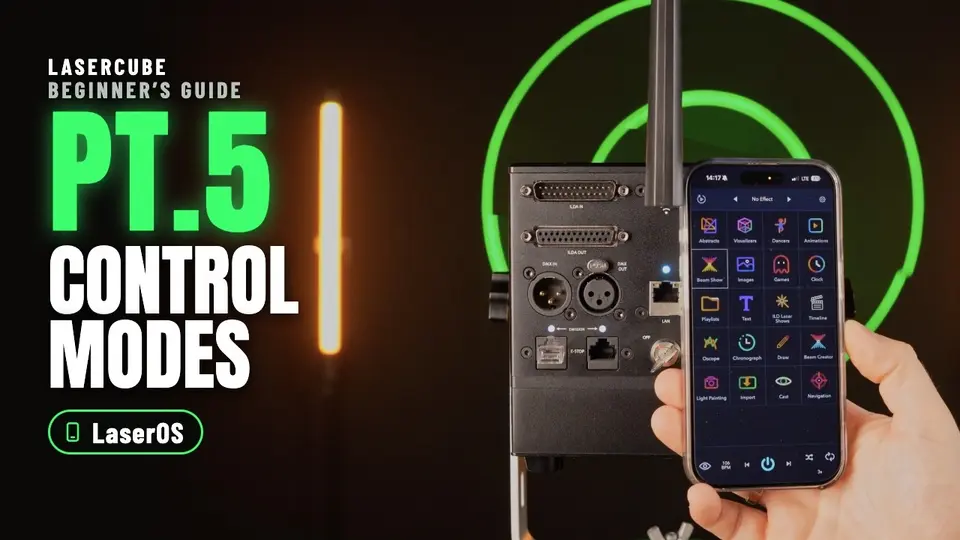
The free LaserOS app (every model)
LaserOS runs every LaserCube from a phone, tablet or computer. It's free, with no paid upgrades, and has over 7,000 built-in animations, images and interactive items. It imports your own logo and reacts to music, and on a computer its Timeline builds a show to a song.
This part of our Beginners Guide names the eight control modes, then sets up LaserOS mode and the cube's WiFi. The Ultra MK2 in it runs firmware 2.0 and has the interlock jumper fitted; US units use an E-Stop instead.
Pro laser show software
Programs that support LaserCube directly, such as MadMapper, drive every model over the network with no extra hardware. Software that needs an ILDA interface (DAC) runs through that interface, plugged into ILDA In on the Ultra MK2 and Pro. See the apps that work with LaserCube and our show laser software guide.
A DMX lighting desk (Ultra MK2 and Pro)
The Ultra MK2 and Pro take DMX or Art-Net from a lighting desk, a DMX app or SoundSwitch, as one 16-channel fixture, and the desk picks what plays from the microSD card. The Pro's 3.5 mm DMX jacks need adapter cables (not included).
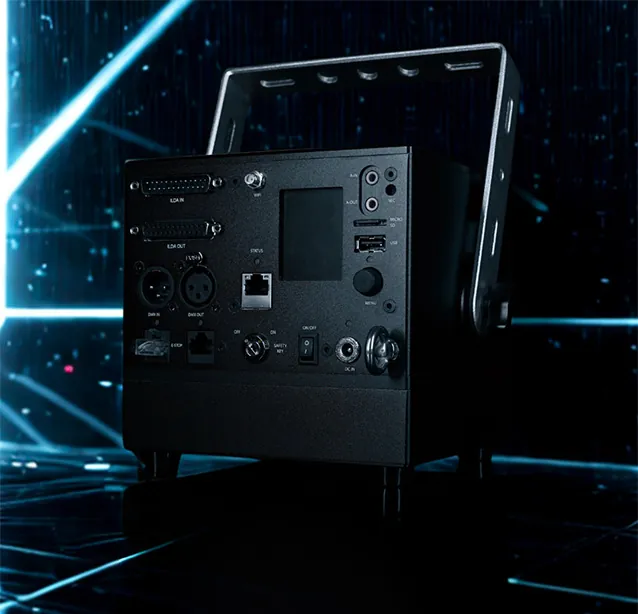
Never connect a fog machine to the DMX ports unless you're sure it's true DMX: many put mains power on their XLR socket, which damages the cube.
Haze or fog
Beams in the air show best with haze or fog, in the dark. Graphics on a wall need no haze, only a dimmed room.
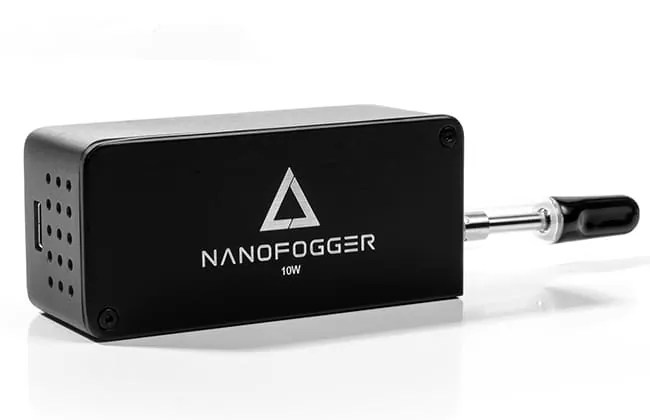
Any fog or haze machine works, but don't connect it to the cube's DMX ports unless it's true DMX. Our Nano Fogger suits small spaces (liquid not included); big venues use a full-size machine. More in do you need fog for a laser show?
Mounting and power
- Mounting: the Ultra MK2 and Pro have a bracket with lockable tilt that takes a truss clamp (M8 or M10 bolt), and an eye bolt for a safety cable when rigged at height; the WiFi fits a standard camera tripod. Secure any cube so the beam can't shift. A cube on a tripod usually starts below the 3 m (10 ft) height in the safety rules below: where people may be, mount it higher, with a safety cable, or close off the floor under the beams, plus at least 3 m (10 ft) on all sides. On the gear page: the Mini Tripod for the WiFi (called the Tripod in the USA) and, outside the USA, the Carbon Tripod for the Ultra MK2 and Pro.
- Power: about 3 to 4 hours on battery (Ultra MK2) or 2 to 3 (Pro and WiFi), or on the charger, which charges it while it plays.
- Outdoors: the Ultra MK2 and Pro are made for outdoor use too. Every model takes light rain only with its own rain cover fitted; the Pro's isn't available yet, so a Pro stays out of the rain. See outdoor laser shows.
Safety gear
- Safety key: turned by hand each time the cube is switched on; turning it off stops the beams at once.
- Interlock jumper or E-Stop: an E-Stop (red STOP, green START) is required in the USA and comes with every US unit; elsewhere a jumper plug does the job and the E-Stop is optional. E-Stop Kits come in two versions, one for the WiFi and one for the Ultra MK2 and Pro, and they aren't interchangeable.
- Beam block: an adjustable shutter that keeps the scan out of audience areas, on top of the 3 m rule below, never instead of it. It can't be used with a lens fitted.
Never bypass the key, the interlock or the E-Stop. A fixed install in a venue can run with nobody watching when whoever sets it up takes responsibility for where the beams go and that nobody can get into them.
What an all-in-one cube replaces
A classic laser show system is often several boxes: a projector, an interface between computer and laser, show software and a controller.
A LaserCube folds much of that into one: no interface box for LaserOS or software that supports LaserCube directly, a battery and music sync on every model, and standalone shows plus DMX, Art-Net, ILDA and MIDI on the Ultra MK2 and Pro. You still add haze and, where needed, a stand.
Which combo for which setup
Combos add accessories step by step: SOLO, DJX and STAGE, plus STADIUM in the USA. Already have your accessories? Start with SOLO. Want accessories too? A bigger combo adds them; the LaserCube page lists what each adds in your country. Only some gear? Take SOLO and add just the accessories you want. Prices: what a laser show projector costs.
Which LaserCube for your system
Our advice is the biggest model, unless you have a reason to go smaller: the Ultra MK2 10W, our most powerful.
- Ultra MK2 (6W or 10W): full-size XLR DMX, ILDA In and Out, and the longest battery life. From €1,999 for the 6W ($2,799 in the USA). In the USA, the Ultra MK2 is the professional model we sell. US buyers of the Ultra MK2 10W or 6W pass X-Laser's free online Laser Operator Course before it ships.
- Pro (3W or 6W): our most advanced model, essentially a compact Ultra MK2; the Pro 6W is the pick when smaller and lighter matters. From €1,399 for the 3W. The Pro isn't sold in the USA yet.
- WiFi (1.2W or 2.5W): for a tight budget, played from a phone, tablet or computer. From €799 for the 1.2W ($1,499 in the USA).
For a small room just for you, the Ultra MK2 6W or, outside the USA, the Pro is ideal. For shows at home, see our home laser show system guide.
Prices are from 2 November 2026. Compare the models on the models page or in Pro or Ultra MK2, then buy on the LaserCube page, at today's price.
A word on safety
LaserCube is a professional show laser, not a toy: never aim it at people's eyes, at audiences or at aircraft, and never at anything flammable.
- Wherever people may be, keep every beam at least 3 m (10 ft) above the floor.
- Every beam ends on a solid surface: outdoors, never in the sky, and never on windows, mirrors or anything shiny.
More in our safety tips.
Frequently asked questions
Q01What laser show equipment do I need?
A laser projector, a way to run the show, haze or fog for beams in the air, a stand or clamp, and the safety gear that comes with every cube: the key, the interlock jumper (an E-Stop on US units) and the beam block.
Q02Do I need a computer for a laser show system?
Not for an Ultra MK2 or Pro: they play built-in shows, visualizers and microSD playlists on their own, or from a DMX desk or MIDI controller. Your own playlists go onto the card from LaserOS on a computer. A LaserCube WiFi needs a phone, tablet or computer running LaserOS to play anything.
Q03Is there a mini laser show system?
Outside the USA, the Pro 6W is the pick: essentially a compact Ultra MK2 with the Ultra MK2 6W's laser output, 13 × 13 × 13.5 cm and 2.5 kg. On a tight budget, the WiFi is smaller still: 10 × 10 × 12.5 cm and 1.7 kg. Every model is a professional show laser, not a toy.
Q04Do I need a permit for a laser show?
LaserCube is fully legal and certified worldwide. In the US, LaserCube is certified through X-Laser, and a LaserCube bought in the USA comes with the FDA variance (issued by X-Laser). For public shows, check your local rules too. For US buyers, the FDA variance is filed for you automatically by our partner X-Laser.
Q05Is a LaserCube a complete laser show system?
Very close. Every model has the projector and a battery in one cube and reacts to music, with no interface box for LaserOS or software that supports LaserCube directly. The Ultra MK2 and Pro also play shows on their own and take DMX, Art-Net, ILDA and MIDI; a WiFi plays from a phone, tablet or computer. You still add haze and, where needed, a stand.
See it for yourself
LaserCube is a portable, battery-powered RGB laser projector, and its show software, LaserOS, is free.
Explore the LaserCube lineup