MIDI to DMX: Control Live Lasers Simpler
Want to trigger live stage lasers using MIDI? Learn how to bypass complex DMX software routing and connect directly to the LaserCube Ultra MK2.
Setting up tactile control for stage lighting often leads into a frustrating web of converter boxes and software lag. If you are searching for a way to route your MIDI controller into a DMX lighting rig, you already know the headache. You just want your physical faders to talk to your lights.
Managing third-party mapping software during a live DJ set creates unnecessary failure points. It takes your focus away from the music and the crowd which is key for making a memorable performance.
While you still need a MIDI to DMX software bridge to control standard wash lights and moving heads, lasers offer a different approach. We engineered the LaserCube Ultra MK2 to give you two distinct paths. You can drop it into your existing DMX universe, or you can skip DMX entirely with direct USB MIDI control.
Integrate lasers into your existing DMX rig
If you already run a full stage lighting setup, you likely want everything on one network. Traditional workflows force you to route MIDI signals into DMX 512 channels using a lighting desk or software from brands like Chauvet Professional.
The LaserCube Ultra MK2 fits perfectly into this traditional workflow. It features native DMX in and out ports right on the back panel.
You can assign it an address and trigger its internal cues directly from your existing DMX software. This allows you to manage the laser exactly like any other fixture in your rig, keeping your entire show perfectly synced.
Bypass DMX entirely with direct USB MIDI
If your only goal is to control your laser projector, converting MIDI to DMX is a wasted step. To resolve this, direct USB MIDI control via our built-in CubeOS cuts out the middleman completely.
Performers gain instant, low-latency laser control straight from their physical MIDI controllers. Hardware-level signal handling ensures instant feedback when you press a performance pad or move a fader.
This setup completely eliminates laptop dependency during high-stakes performances. You simply plug an APC40 MK2 or APC mini MK2 USB MIDI controller directly into the USB-A port on the projector, with no external software required. Turn on USB MIDI under Settings > USB MIDI first. USB MIDI doesn’t work while the cube is in DMX, ArtNet, LaserOS, IDN or Ether Dream control mode, so you use either the DMX path or the MIDI path at a time.
Connect live visual effects to your hardware.
Built-in native mapping supports industry-standard performance controllers out of the box. This includes popular units like the Akai APC40 MK II and the APC Mini MK II.
Mapping custom controls takes only a few seconds. You simply follow these quick steps on the back panel:
- Press the knob once on a slider in the CubeOS menu to edit it, then press and hold to open its menu.
- Choose Link MIDI Knob.
- Move the dial or fader on your controller to assign it.
Once connected, the controller's pad grid directly triggers individual laser cues and animations stored on the internal SD card. Scene launch buttons easily switch entire show playlists to match the mood of your set.
Perform your laser show live from the DJ booth
Physical faders and knobs provide instant control over projection intensity, position, scaling, and animation speed. CubeOS includes a dedicated live FX engine that translates your hardware movements into real-time laser modulation.
Dedicated effect parameters can be busked live during a performance for a highly interactive laser show. These built-in live effects include:
- Strobe: Add high-energy flashing to the beat of your track.
- Soft Strobe: Create a subtle, fading strobe effect for a smoother visual transition.
- Colorize: Give your animations a sweeping, rainbow-like appearance.
- Color Hue: Shift colors dynamically across your entire output.
- White Plus Toggle: Decide whether white elements shift color during hue changes.
- Zoom: Scale your projections up and down across the room.
- Color Cycling: Sync your visual color sweeps perfectly with a tap-tempo metronome.
Build a portable, standalone performance rig
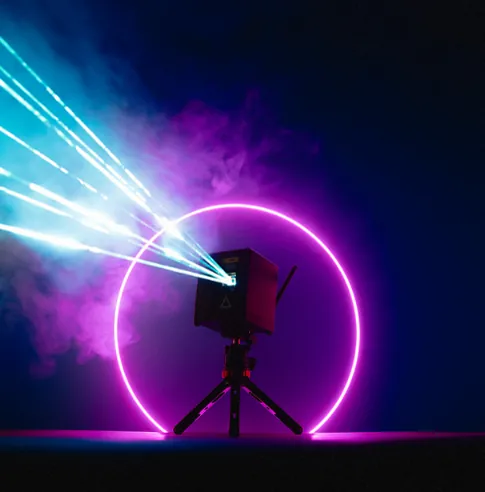
Taking the show on the road requires equipment that travels easily and sets up fast. A battery-powered projector combined with direct USB MIDI control yields a completely self-contained visual production rig.
Eliminating laptops and heavy lighting desks speeds up load-in times for pop-up events and mobile DJ sets. Pairing the projector with a compact Nano Fogger creates instant 3D aerial beam effects anywhere.
The hardware also grows with your shows. Dual RJ45 interlock ports (In and Through) let you chain several Ultra MK2 units to a single E-Stop: one press of the red button stops them all.
Choose the right LaserCube for your venue
The flagship LaserCube 10W Ultra MK2 serves touring artists and event producers by providing maximum output. The unit delivers 10,000mW of raw RGB laser power to cut through bright ambient lighting in large venues.
Upgraded AT-40S galvo scanners running at 35,000 pps help detailed graphics stay solid with less flicker. It features a rechargeable battery, native DMX support, and a preloaded microSD card with 38 built-in laser shows.
Wrapping Up
Hands-on tactile control no longer requires a confusing web of software and converter boxes. Whether you drop it into a full DMX universe or use direct USB MIDI, the Ultra MK2 puts laser control directly into your hands.
Ready to simplify your live visual rig? Visit the LaserCube product page to compare models, review the full specs, and build the right setup for your next show.
Frequently Asked Questions (FAQs)
Q01Can the LaserCube be controlled by standard DMX software?
Yes, the LaserCube Ultra MK2 features native DMX in and out ports. You can assign it a DMX address and control it using standard lighting consoles or software alongside the rest of your stage fixtures.
Q02Does direct MIDI control require a laptop?
No, direct MIDI control bypasses the need for a computer. You can plug an APC40 MK2 or APC mini MK2 USB MIDI controller straight into the USB-A port on the Ultra MK2, and the internal CubeOS will process your fader and pad inputs natively.
Q03Can a MIDI controller trigger specific laser animations?
Yes, users can assign specific animations and playlists to individual buttons on a MIDI controller. The built-in SD card stores the laser shows natively on the projector, allowing your controller pads to instantly trigger the chosen animation.
See it for yourself
LaserCube is a portable, battery-powered RGB laser projector, and its show software, LaserOS, is free.
Explore the LaserCube lineup