3D Laser Mapping Projector Guide: Cheap vs. Pro vs. Portable Options
Compare budget, industrial, & portable 3D laser mapping projectors. Learn how 35k pps galvos & LaserOS mapping software trace buildings, objects, & art
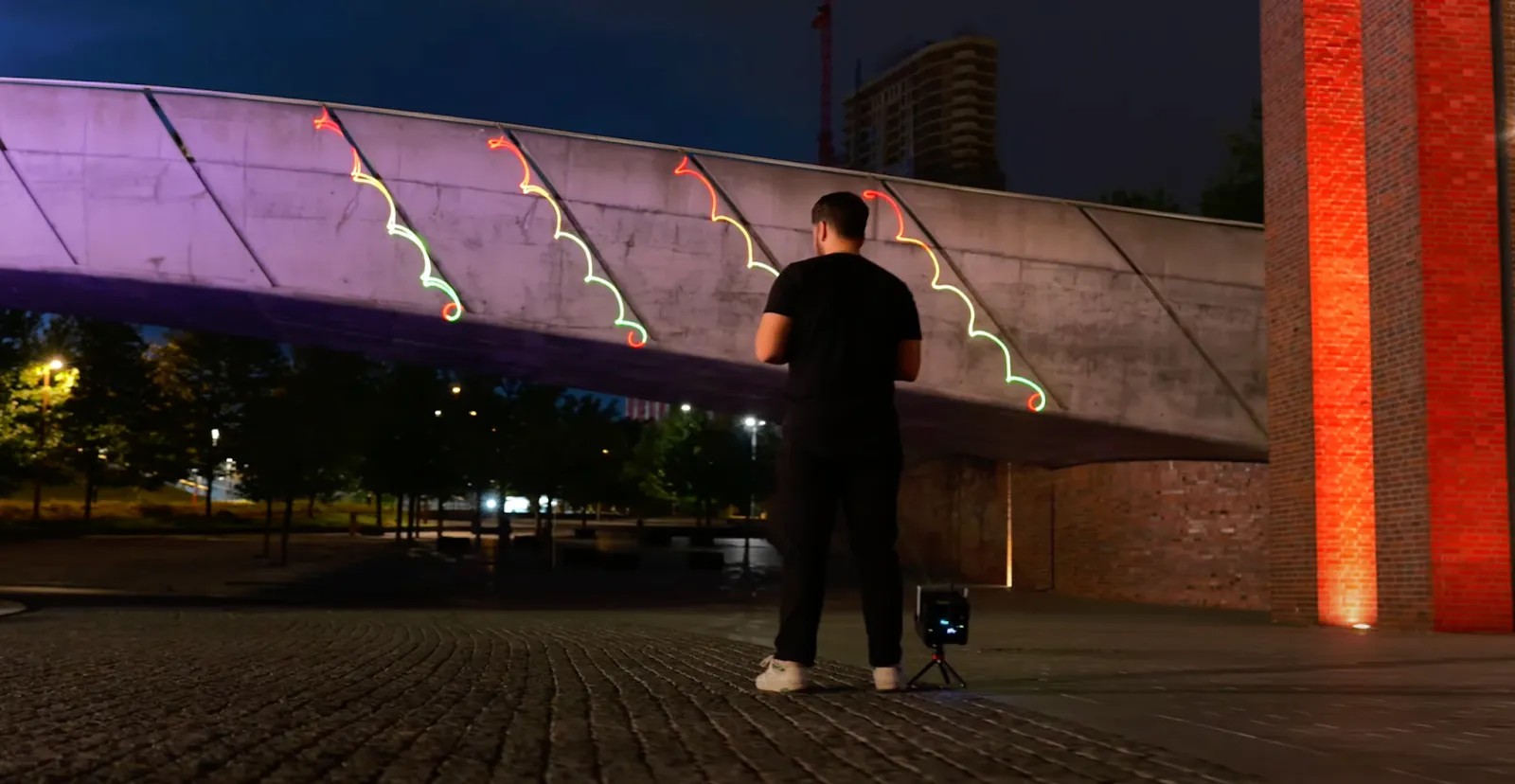
If you are researching a 3D laser mapping projector, the sheer number of options can be overwhelming. A quick search often reveals a confusing mix of inexpensive party lights and high-end industrial hardware, with very little in between.
This guide aims to clarify the differences between these technologies so you can make an informed choice for your specific project, whether it is for art, events, or home entertainment.
The 3 Main Categories of Lasers
Understanding the three main tiers of hardware will help you set realistic expectations for your budget.
- Entry-Level / Budget (Under $500): These devices are often found on general marketplaces. While they may be labeled as a 3D laser, they typically utilize slower internal motors (stepper motors or low-speed scanners). This results in a “flickering” effect when trying to draw complex shapes. They also rarely include the software necessary to trace specific objects.
- Professional / Touring ($5,000+): These are the powerful systems used at festivals and stadium concerts. They offer incredible brightness and speed but require a significant infrastructure, including heavy power cables, separate control interfaces (DACs), and advanced technical knowledge to operate safely.
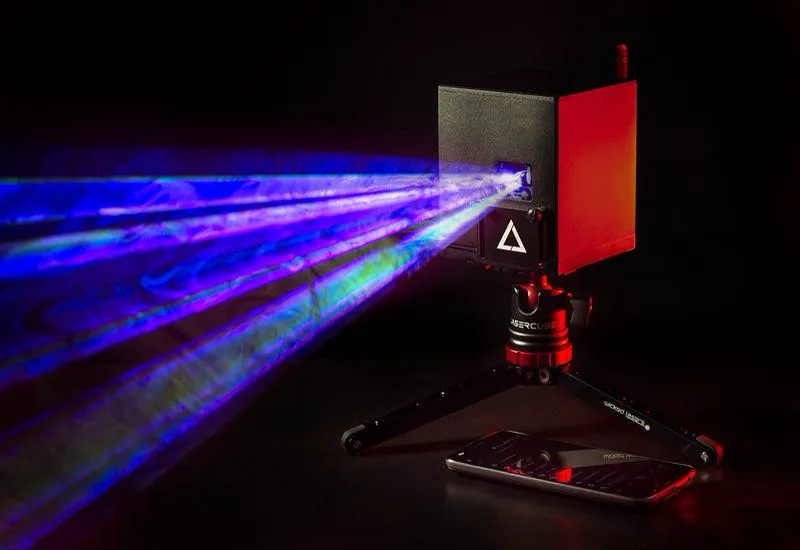
- Portable / Wireless (The “Prosumer” Tier): This category has emerged to bridge the gap. Systems in this tier, such as the LaserCube, are designed to be battery-powered and compact. They aim to offer the scanning quality needed for smooth graphics while keeping the software accessible for non-engineers.
What is 3D Laser Mapping?
To choose the right tool, it helps to understand what is 3D laser mapping exactly. Unlike a video projector that shines a rectangular grid of pixels (like a TV screen), a laser projector is a “vector” device. It draws lines with a single focused beam of light.
Mapping involves using that beam to trace the edges of a physical object, like a guitar, a wedding cake, or an architectural feature, to highlight its shape.
The Importance of Scanners
The most critical specification for an object mapping laser is the scanner speed.
- Standard Scanners: Common in budget lasers (often 15k pps). Good for simple beams, but complex 3D shapes will flicker.
- Superior Scanners: Higher-end portable units, like the LaserCube Ultra MK2 and Pro, utilize superior scanner quality (over 35k pps). This ensures that text, logos, and outlined shapes appear solid and crisp to the human eye, which is essential for professional graphics.
Software: The Hidden Variable
Hardware is only half the equation. To map an object, you need software that allows you to “draw” on the real world.
Traditional systems often require purchasing separate, complex software suites. Newer portable systems tend to integrate this. For instance, the LaserOS app used by LaserCube allows users to point the laser at an object and trace its outline directly on a phone or computer screen. When comparing models, always check if mapping software is included or if it is an extra cost.
Safety First: Built-In Safety Features
Working with lasers requires responsibility. Unlike standard lights, lasers are concentrated energy. A reputable manufacturer will always include safety features. LaserCube is a professional show laser, not a toy: never aim it at people’s eyes, at audiences or at aircraft, and never at anything flammable. Safety tips.
- Safety Zones: Look for software that allows you to set “Safety Zones.” This feature lets you draw a digital box that keeps the beams off camera lenses and video projectors, or keeps your graphics inside the target surface; beams outside a keep-within zone or inside a keep-out zone are reduced according to the attenuation setting (at 100% they are blanked fully). A zone never protects people: nobody should be in front of the laser, with or without a zone.
- Hardware Interlocks: Professional units include physical keys and remote stop buttons (interlocks) so you can instantly cut power in an emergency.
- Legal Compliance: LaserCube is fully legal and certified worldwide. In the US, LaserCube is certified through X-Laser, and a LaserCube bought in the USA comes with the FDA variance (issued by X-Laser). For public shows, check your local rules too.
Challenges with Outdoor Mapping
If you are looking for an outdoor projection mapping projector, the biggest logistical challenge is usually power. Running extension cords across a field or garden can be difficult and unsafe.
This is where battery-powered units have a distinct advantage. Being able to mount a projector on a tripod without being tethered to a wall outlet allows for more creative freedom. You can position the laser at the perfect angle to map a building feature, regardless of where the power source is.
Pro Tip: Lighting Matters
Darkness is your canvas. While video projectors struggle with black levels (projecting “dark gray” instead of black), lasers offer infinite contrast. However, for the best results, ensure your ambient lighting is low.
You don’t need pitch blackness, but dimming the room lights will make your laser 3D outlines “pop” much more vividly against the object.
How to Choose the Right Specifications
When deciding on a unit, look at your specific needs:
- Portability vs. Speed: If you need a setup that fits in a backpack for travel, the LaserCube WiFi is a great choice. It weighs just 3.7 pounds and packs enough power for parties and art shows.
- Graphics Quality: If your livelihood depends on delivering high-quality visuals for larger venues, the LaserCube Ultra MK2 (6W or 10W) or the compact LaserCube Pro (3W or 6W) is the appropriate investment. These models provide the brightness and superior scanner quality required for crisp, professional graphics and logos.
By focusing on the specs that matter: scanner quality, software usability, and safety features, you can find the right tool to bring your creative vision to light. The LaserCube is one of the best choices for a laser mapping projector.
See it for yourself
LaserCube is a portable, battery-powered RGB laser projector, and its show software, LaserOS, is free.
Explore the LaserCube lineup